RFlag
8 minutes to read
We have this challenge descryption:
We have found the garage where some cyber criminals have all their stuff. Using an SDR device, we captured the signal from the remote key that opens the garage. Can you help us to analyze it?
We are given a raw binary file called signal.cf32:
$ file signal.cf32
signal.cf32: data

$ md5sum signal.cf32
41577e397efcec053e1a93deb4080be7  signal.cf32

$ file -h signal.cf32
3,7M    signal.cf32
Radiofrequency analysis
Doing a bit of research on Software-Defined Radio (SDR) signal analysis we can find a tool called inspectrum. It is an open-source tool available in GitHub. In the README.md it says that it is able to analyze .cf32 files from SDR captures. We just need to install it and execute it:
$ inspectrum signal.cf32
We will see the following signal:
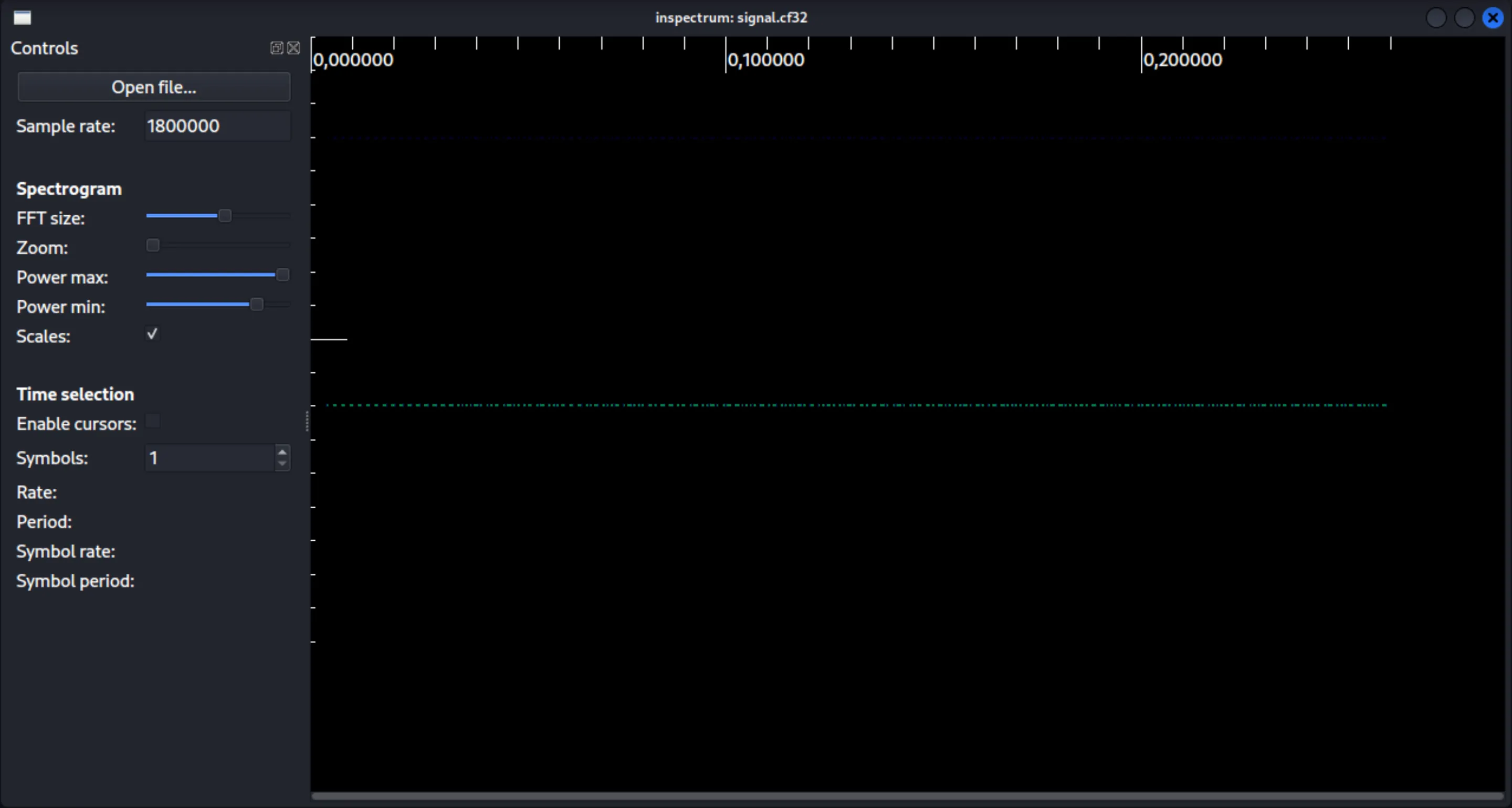
inspectrum shows the power of the signal in time (X axis) and frequency (Y axis). This is a signal modulated in ASK/OOK, since there is a single frequency “line” being used.
Extracting symbols
inspectrum also allows us to set cursors and extract the bits from the signal after applying a threshold. Basically, we need to set cursors to catch all the symbols of the signal. Let’s assume a symbol is a pulse of power or a pulse of nothing. Hence, these are the first two symbols:
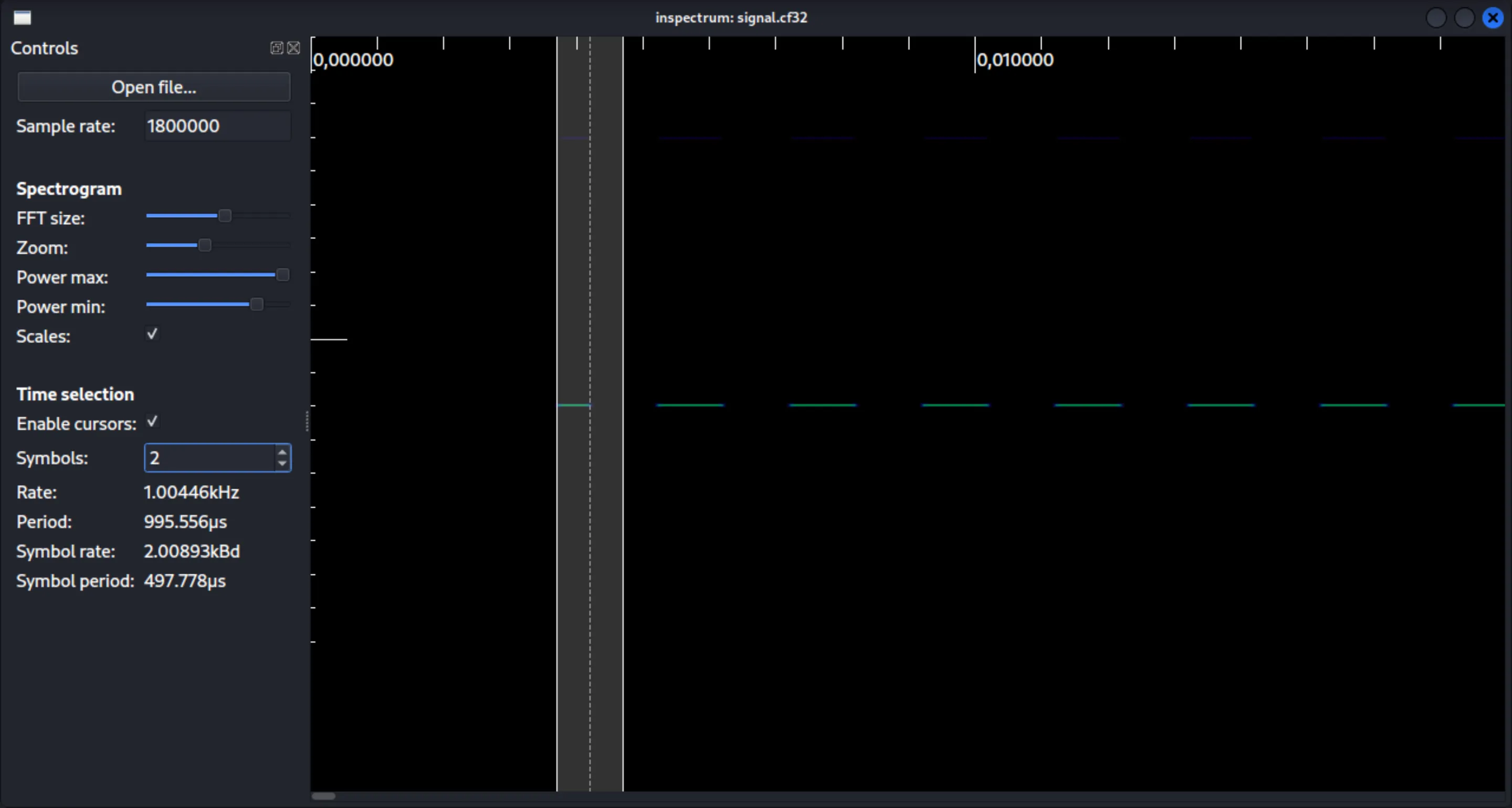
We need to continue adding cursors:
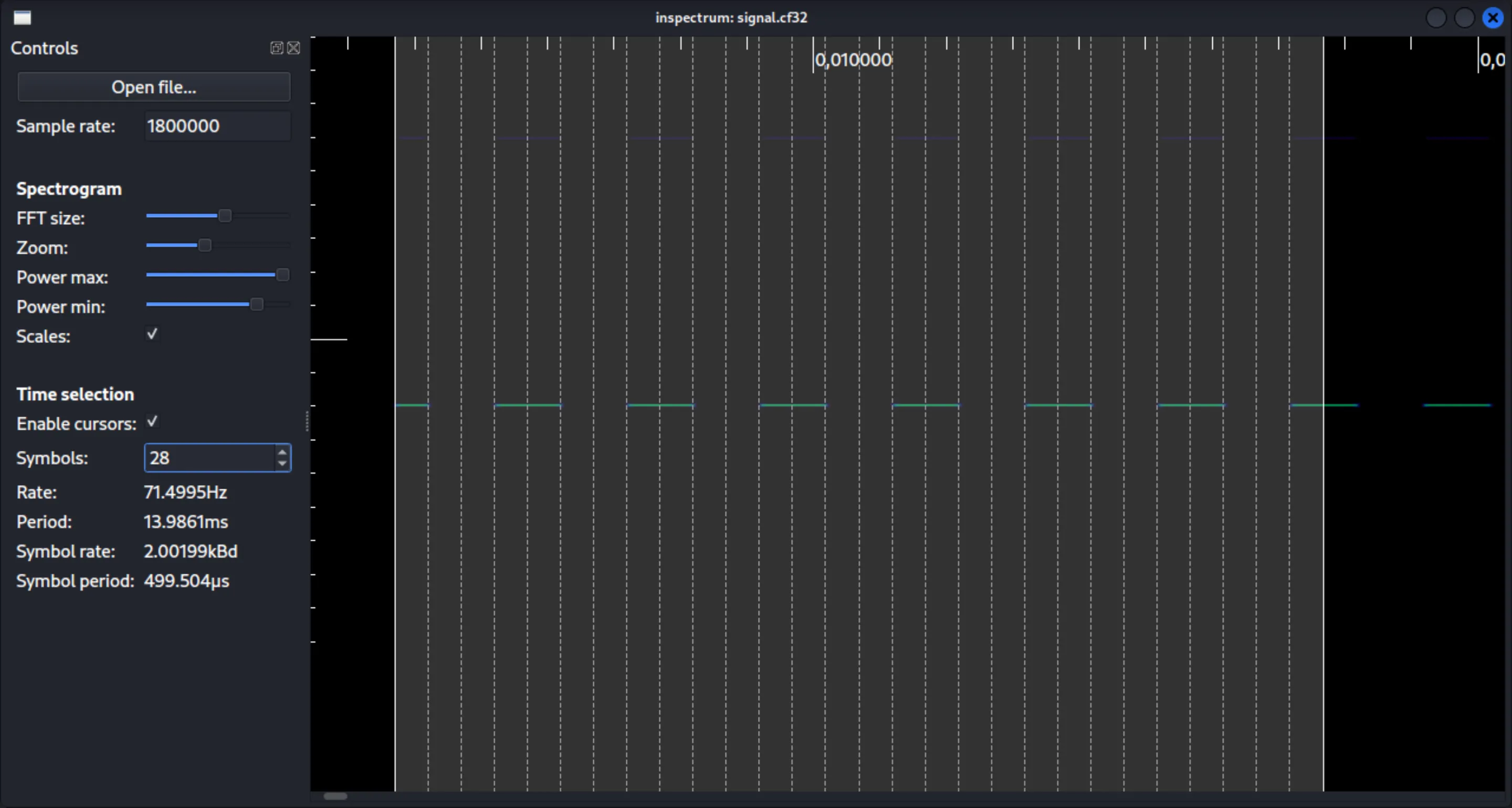
Until we have the full signal with cursors:
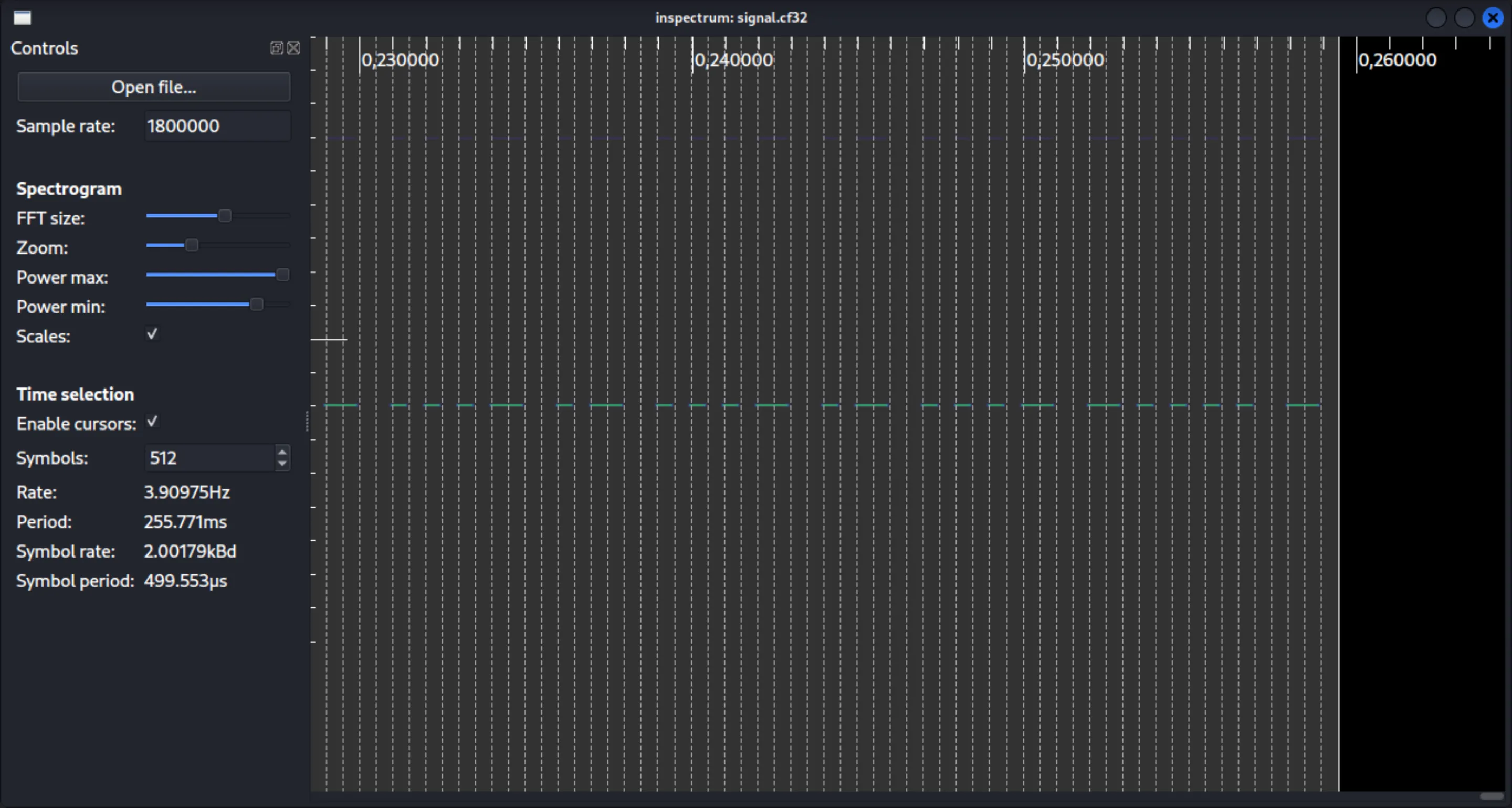
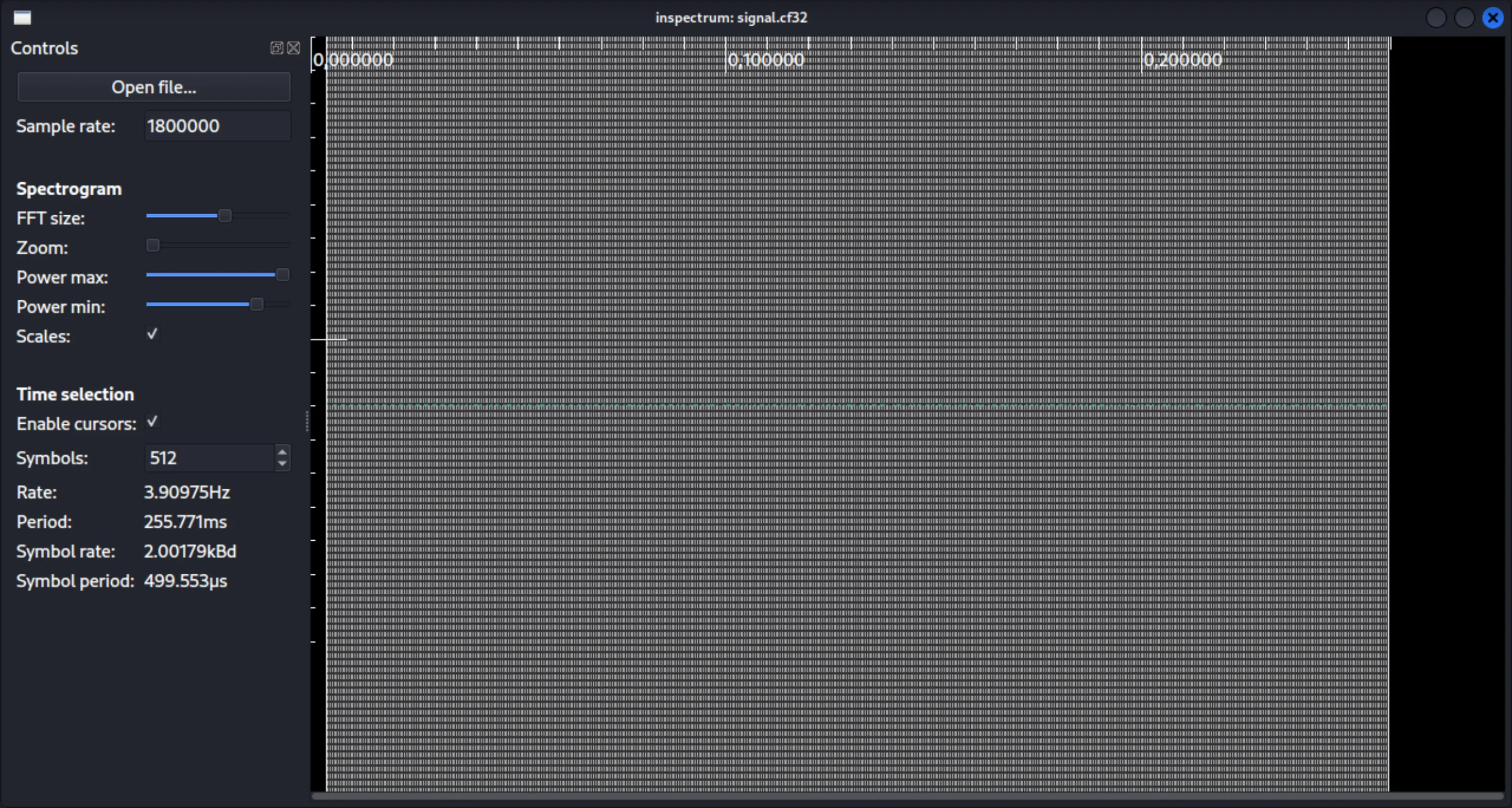
At this point, we must add an amplitude plot:
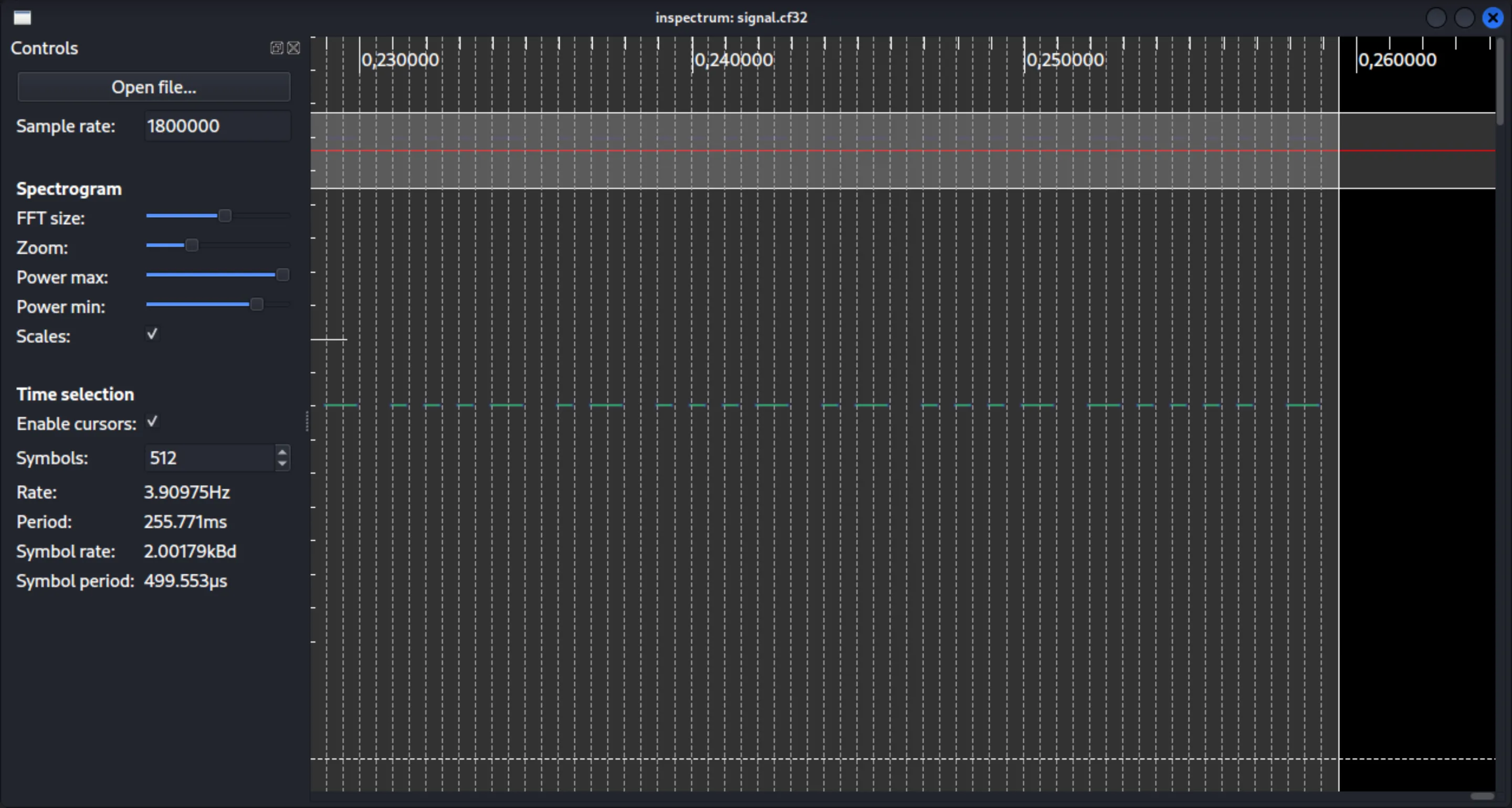
And put the new horizontal cursor in the position where there is signal power:
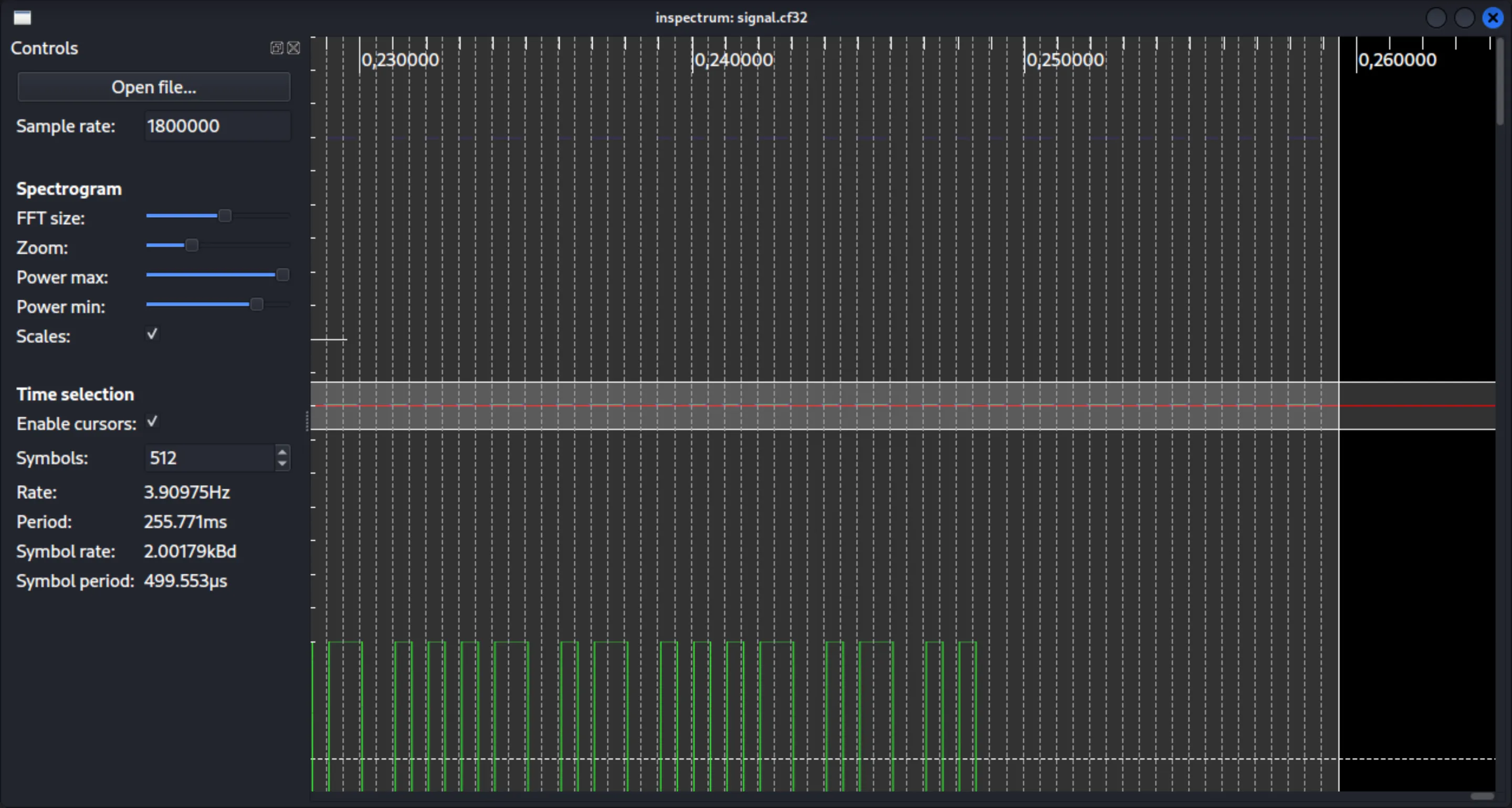
Now, we can add a threshold plot derived from the amplitude plot:
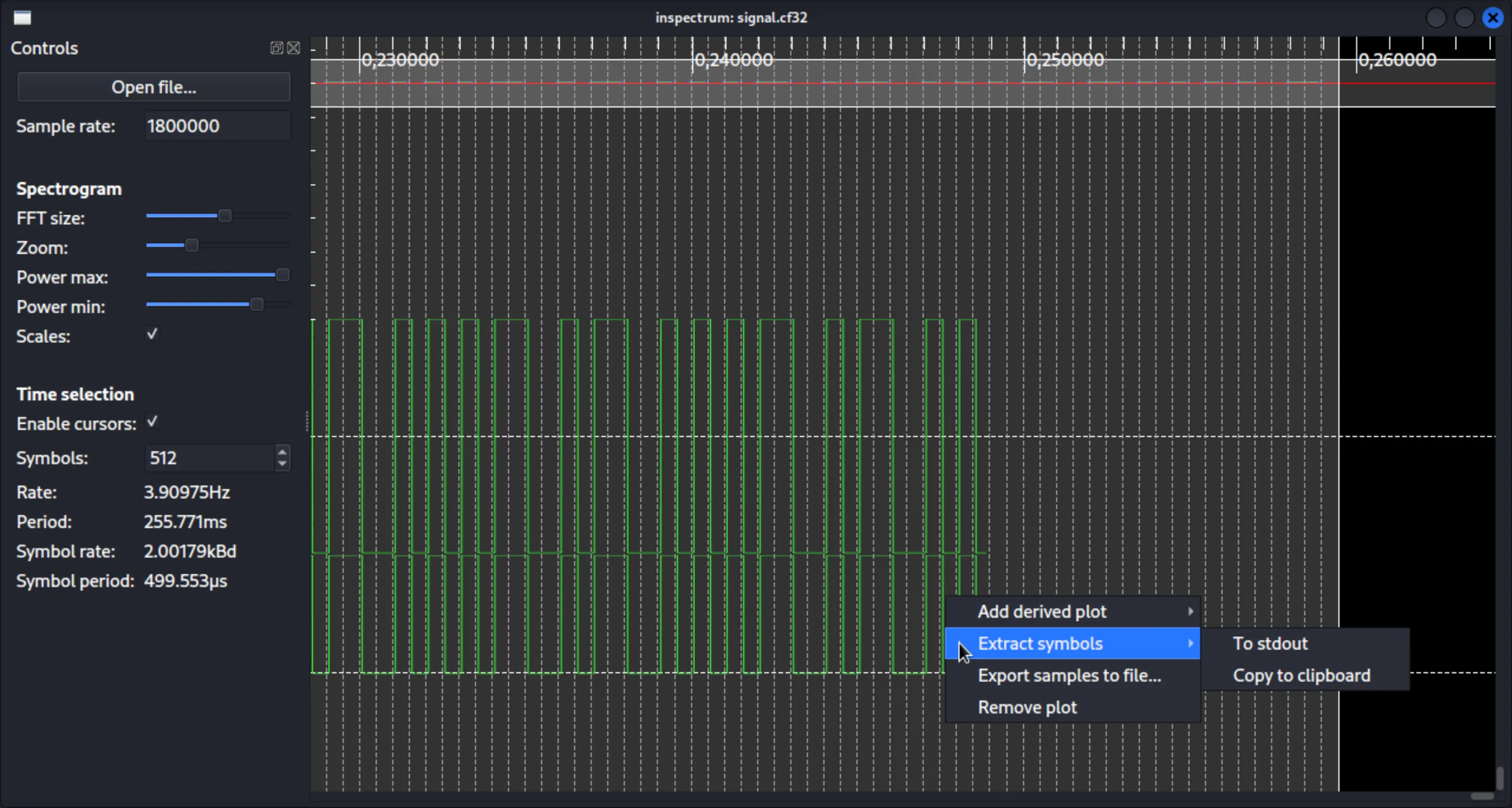
And then we can extract symbols (bits) to stdout or to the clipboard:
$ inspectrum signal.cf32
1, 0, 0, 1, 1, 0, 0, 1, 1, 0, 0, 1, 1, 0, 0, 1, 1, 0, 0, 1, 1, 0, 0, 1, 1, 0, 0, 1, 1, 0, 0, 1, 1, 0, 0, 1, 1, 0, 0, 1, 1, 0, 0, 1, 1, 0, 0, 1, 1, 0, 0, 1, 1, 0, 0, 1, 1, 0, 0, 1, 1, 0, 0, 1, 0, 1, 0, 1, 0, 1, 0, 1, 1, 0, 1, 0, 0, 1, 0, 1, 0, 1, 1, 0, 0, 1, 0, 1, 1, 0, 1, 0, 1, 0, 0, 1, 0, 1, 1, 0, 0, 1, 0, 1, 1, 0, 0, 1, 0, 1, 0, 1, 0, 1, 1, 0, 0, 1, 1, 0, 0, 1, 1, 0, 0, 1, 0, 1, 0, 1, 1, 0, 0, 1, 0, 1, 0, 1, 0, 1, 1, 0, 0, 1, 0, 1, 1, 0, 1, 0, 1, 0, 1, 0, 0, 1, 1, 0, 1, 0, 0, 1, 1, 0, 0, 1, 1, 0, 0, 1, 0, 1, 1, 0, 0, 1, 0, 1, 1, 0, 0, 1, 0, 1, 0, 1, 1, 0, 1, 0, 0, 1, 0, 1, 1, 0, 0, 1, 1, 0, 1, 0, 1, 0, 1, 0, 1, 0, 0, 1, 1, 0, 0, 1, 0, 1, 1, 0, 0, 1, 0, 1, 0, 1, 0, 1, 0, 1, 1, 0, 1, 0, 0, 1, 1, 0, 0, 1, 0, 1, 0, 1, 1, 0, 1, 0, 0, 1, 0, 1, 0, 1, 1, 0, 1, 0, 0, 1, 1, 0, 1, 0, 0, 1, 1, 0, 0, 1, 1, 0, 1, 0, 0, 1, 0, 1, 1, 0, 1, 0, 0, 1, 0, 1, 0, 1, 1, 0, 0, 1, 1, 0, 1, 0, 0, 1, 1, 0, 1, 0, 1, 0, 0, 1, 0, 1, 0, 1, 1, 0, 1, 0, 0, 1, 1, 0, 1, 0, 0, 1, 0, 1, 1, 0, 0, 1, 1, 0, 1, 0, 1, 0, 1, 0, 1, 0, 0, 1, 0, 1, 1, 0, 1, 0, 0, 1, 0, 1, 0, 1, 1, 0, 0, 1, 1, 0, 1, 0, 1, 0, 0, 1, 0, 1, 1, 0, 1, 0, 0, 1, 1, 0, 0, 1, 1, 0, 1, 0, 1, 0, 1, 0, 1, 0, 0, 1, 1, 0, 1, 0, 0, 1, 0, 1, 0, 1, 1, 0, 1, 0, 0, 1, 0, 1, 1, 0, 1, 0, 0, 1, 0, 1, 0, 1, 0, 1, 0, 1, 0, 1, 1, 0, 1, 0, 0, 1, 0, 1, 0, 1, 0, 1, 0, 1, 1, 0, 1, 0, 0, 1, 1, 0, 1, 0, 0, 1, 0, 1, 0, 1, 0, 1, 1, 0, 0, 1, 0, 1, 0, 1, 0, 1, 1, 0, 0, 1, 0, 1, 1, 0, 0, 1, 0, 1, 0, 1, 0, 1, 1, 0, 0, 1, 0, 1, 1, 0, 0, 1, 0, 1, 0, 1, 0, 1, 1, 0, 0, 1, 1, 0, 1, 0, 1, 0, 1, 0, 1, 0, 0, 1, 1, 0,
Decoding process
We can make use of Python to represent the bits as hexadecimal values or a large bit stream:
$ bits='1, 0, 0, 1, 1, 0, 0, 1, 1, 0, 0, 1, 1, 0, 0, 1, 1, 0, 0, 1, 1, 0, 0, 1, 1, 0, 0, 1, 1, 0, 0, 1, 1, 0, 0, 1, 1, 0, 0, 1, 1, 0, 0, 1, 1, 0, 0, 1, 1, 0, 0, 1, 1, 0, 0, 1, 1, 0, 0, 1, 1, 0, 0, 1, 0, 1, 0, 1, 0, 1, 0, 1, 1, 0, 1, 0, 0, 1, 0, 1, 0, 1, 1, 0, 0, 1, 0, 1, 1, 0, 1, 0, 1, 0, 0, 1, 0, 1, 1, 0, 0, 1, 0, 1, 1, 0, 0, 1, 0, 1, 0, 1, 0, 1, 1, 0, 0, 1, 1, 0, 0, 1, 1, 0, 0, 1, 0, 1, 0, 1, 1, 0, 0, 1, 0, 1, 0, 1, 0, 1, 1, 0, 0, 1, 0, 1, 1, 0, 1, 0, 1, 0, 1, 0, 0, 1, 1, 0, 1, 0, 0, 1, 1, 0, 0, 1, 1, 0, 0, 1, 0, 1, 1, 0, 0, 1, 0, 1, 1, 0, 0, 1, 0, 1, 0, 1, 1, 0, 1, 0, 0, 1, 0, 1, 1, 0, 0, 1, 1, 0, 1, 0, 1, 0, 1, 0, 1, 0, 0, 1, 1, 0, 0, 1, 0, 1, 1, 0, 0, 1, 0, 1, 0, 1, 0, 1, 0, 1, 1, 0, 1, 0, 0, 1, 1, 0, 0, 1, 0, 1, 0, 1, 1, 0, 1, 0, 0, 1, 0, 1, 0, 1, 1, 0, 1, 0, 0, 1, 1, 0, 1, 0, 0, 1, 1, 0, 0, 1, 1, 0, 1, 0, 0, 1, 0, 1, 1, 0, 1, 0, 0, 1, 0, 1, 0, 1, 1, 0, 0, 1, 1, 0, 1, 0, 0, 1, 1, 0, 1, 0, 1, 0, 0, 1, 0, 1, 0, 1, 1, 0, 1, 0, 0, 1, 1, 0, 1, 0, 0, 1, 0, 1, 1, 0, 0, 1, 1, 0, 1, 0, 1, 0, 1, 0, 1, 0, 0, 1, 0, 1, 1, 0, 1, 0, 0, 1, 0, 1, 0, 1, 1, 0, 0, 1, 1, 0, 1, 0, 1, 0, 0, 1, 0, 1, 1, 0, 1, 0, 0, 1, 1, 0, 0, 1, 1, 0, 1, 0, 1, 0, 1, 0, 1, 0, 0, 1, 1, 0, 1, 0, 0, 1, 0, 1, 0, 1, 1, 0, 1, 0, 0, 1, 0, 1, 1, 0, 1, 0, 0, 1, 0, 1, 0, 1, 0, 1, 0, 1, 0, 1, 1, 0, 1, 0, 0, 1, 0, 1, 0, 1, 0, 1, 0, 1, 1, 0, 1, 0, 0, 1, 1, 0, 1, 0, 0, 1, 0, 1, 0, 1, 0, 1, 1, 0, 0, 1, 0, 1, 0, 1, 0, 1, 1, 0, 0, 1, 0, 1, 1, 0, 0, 1, 0, 1, 0, 1, 0, 1, 1, 0, 0, 1, 0, 1, 1, 0, 0, 1, 0, 1, 0, 1, 0, 1, 1, 0, 0, 1, 1, 0, 1, 0, 1, 0, 1, 0, 1, 0, 0, 1, 1, 0, '

$ python3 -c "print(hex(int(''.join('$bits'.split(', ')), 2)))"
0x999999999999999955a565a96595666565596a9a6659656966aa65955a65695a699a5a5669a95a6966aa5a566a5a66aa695a5a555a5569a55956595659566aa6

$ python3 -c "print(bin(int(''.join('$bits'.split(', ')), 2)))"
0b10011001100110011001100110011001100110011001100110011001100110010101010110100101011001011010100101100101100101010110011001100101011001010101100101101010100110100110011001011001011001010110100101100110101010100110010110010101010110100110010101101001010110100110100110011010010110100101011001101001101010010101101001101001011001101010101001011010010101100110101001011010011001101010101001101001010110100101101001010101010110100101010101101001101001010101100101010110010110010101011001011001010101100110101010100110
Manchester encoding
Here, one must notice that there are no groups of more than 2 consecutive bits (for instance, there are no 111 nor 000). This happens due to Manchester encoding, which is very common on RF transmissions.
Basically, when we want to send a 0, we will send 01, and if we want to send a 1, we will send 10 (or vice-versa, depending on the convention). This encoding prevents receiver clocks to lose synchronization because a burst of 1 or 0 will be alternating 0 and 1, so there is no long fix power during long time:
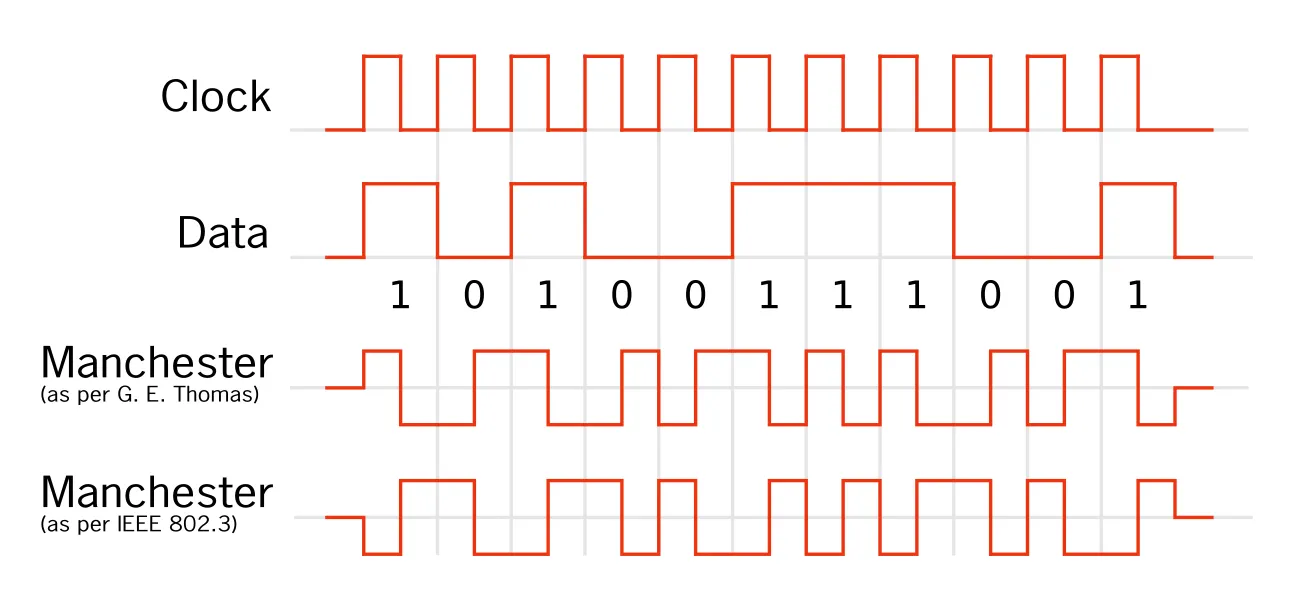
Anyway, to decode Manchester encoding, we can take the bits at even positions (or odd positions, depending on the convention):
$ python3 -c "print(hex(int(''.join('$bits'.split(', ')[::2]), 2)))"
0xaaaaaaaa0c4e4854427b52465f4834636b316e365f31735f6330306c2121217d
So, we have this hexadecimal representation of the bits after decoding, and we can identify 4854427b...7d (HTB{...}), so we have the flag (the first aaaaaaaa form a synchronization sequence, and 0c4e is the synchronization word, which indicates the beginning of the information frame).
Flag
We only need to decode the above string from hexadecimal encoding and we are done:
$ echo 4854427b52465f4834636b316e365f31735f6330306c2121217d | xxd -r -p
HTB{RF_H4ck1n6_1s_c00l!!!}